
How to spy on iPhone without jailbreak is a common search, but “without jailbreak” does not mean “without setup.” The methods that reliably work require the iPhone owner, a parent managing a child’s device, or an authorized company administrator to configure access. A phone number alone cannot unlock an iPhone, reveal private messages, or turn on remote monitoring.
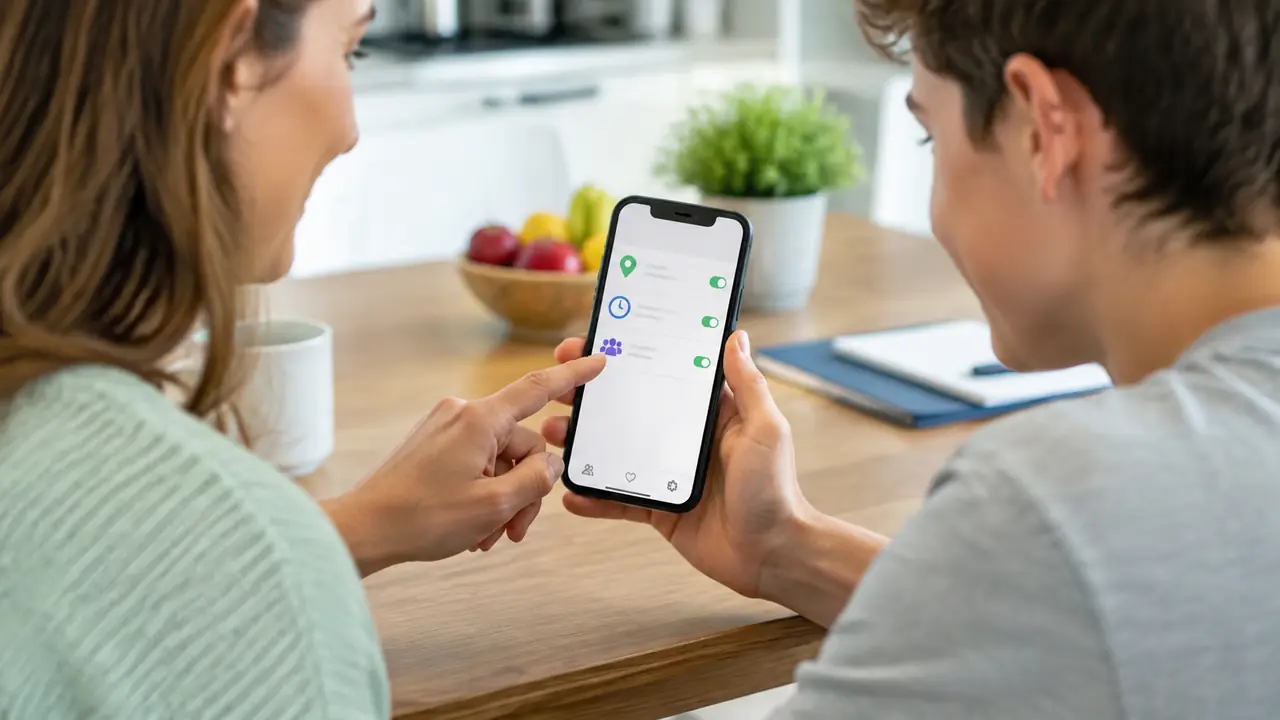
See an iPhone monitoring dashboard before buying
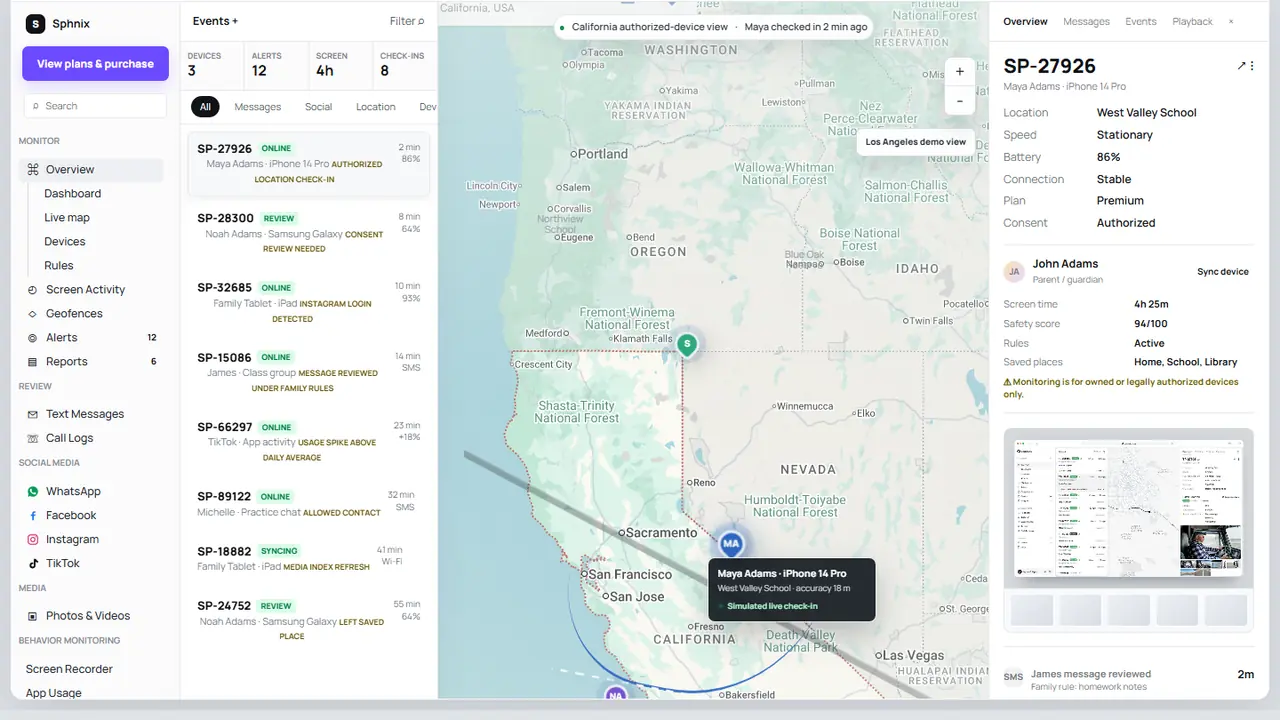
Explore the Sphnix demo to understand how calls, messages, location check-ins, app activity, media and reports can be organized after an authorized device is connected. The demo lets you inspect the workflow before choosing a plan.
What “without jailbreak” actually means
Jailbreaking removes some of Apple’s software restrictions so unsupported code can run with deeper system access. It also creates maintenance and security problems: updates may break the setup, banking or streaming apps may refuse to run, and the device may become less stable. Most families do not need that level of access.
A no-jailbreak method works inside Apple’s normal permission model. That can include screen-time summaries, app limits, content filters, shared location and device check-ins. It does not give every provider unlimited access to encrypted conversations, deleted content, the microphone, camera or passwords. The exact capability depends on the product, iOS version and setup method.
How to Spy on iPhone Without Jailbreak: Four Lawful Options
1. Apple Family Sharing and Screen Time
For a child’s iPhone, Apple’s own tools are the most straightforward starting point. A parent or guardian can add the child’s Apple Account to a Family Sharing group, configure Screen Time, set app limits, restrict content and review usage summaries from a parent device. Apple explains that family organizers can customize parental controls when setting up a child’s device and manage Screen Time from another Apple device.
This option is included with iOS and is usually enough when the goal is healthier device use rather than reading private conversations. Start with our guide to apps that control screen time if schedules and app limits are the main concern.
2. Find My and shared location
Find My supports ongoing location sharing among family members and trusted contacts. Apple says a family member can choose whether to share a location, and recurring arrival or departure alerts may require acceptance. This makes Find My useful for school arrivals, travel coordination and locating a missing family device without installing a hidden app.
Location sharing must be enabled, and Location Services must remain on. It is not a phone-number lookup service. If location is your priority, compare this approach with the broader setup options in our guide to tracking someone by phone number.
3. App Store parental-control apps
Third-party parental-control products can add web filtering, location history, alerts, reports or a shared parent dashboard. They normally require the app to be installed on the child’s iPhone and permissions to be approved locally. Some products also require a companion app on the parent’s phone.
Before paying, check the vendor’s current iOS setup page. Ask whether the advertised feature works on your iOS version, whether physical access is required, how often data syncs, and whether a feature is available only on Android. This prevents buying an impressive feature list that does not match the intended device.
4. Mobile device management for company-owned iPhones
Organizations can manage company-owned iPhones with mobile device management, commonly called MDM. It can enforce passcodes, configure work apps, restrict selected settings and remove company data. MDM is an administration system, not a way to secretly read an employee’s personal life. A written device policy and clear disclosure should define what the organization collects.
What can you see without jailbreaking?
| Feature | Realistic no-jailbreak method | Important limitation |
|---|---|---|
| Screen time and app use | Apple Screen Time or an enrolled parental app | Requires family setup or approved permissions |
| Live or shared location | Find My, Family Sharing or a location app | Location sharing and Location Services must be on |
| Web filtering | Screen Time content restrictions, DNS/VPN filtering or managed browser | Coverage varies by browser and app |
| Calls and messages | Only data exposed by the chosen authorized setup | End-to-end encrypted app content may not be available |
| App blocking and schedules | Screen Time, parental-control app or MDM | Some restrictions can change with age, region and iOS version |
| Remote camera or microphone | Not a normal parental-control feature | Claims of invisible activation deserve strong skepticism |
No-jailbreak app options to compare
Use this shortlist as a buying checkpoint, not as a promise that every advertised feature works on every iPhone. Provider requirements change, so confirm compatibility, setup access, billing terms and refund rules on the product page before purchase.
Sphnix
Best for: buyers who want to inspect a dashboard workflow first. The live demo covers device status, calls, messages, social activity, location, media and reports using sample data. Review the demo, then select a plan only if the interface and intended authorized setup suit your needs.
mSpy
Best for: comparing a long-established parental-monitoring brand. Verify which iPhone features use local installation, account sync or another setup method, because feature availability may differ from Android.
Eyezy
Best for: families comparing activity alerts and a parent-facing dashboard. Confirm the current iOS installation route and the exact data each subscription tier supports before paying.
Parentaler
Best for: parents focused on family rules, location and digital-safety oversight. Check device access requirements and whether the feature you need is supported on the current iOS release.
Spy Wizards may receive compensation from marked partner links. This does not change the setup limits described in this guide.
How to choose the right setup
- Define the purpose. Screen-time coaching, location safety, lost-device recovery and company-device administration need different tools.
- Confirm your authority. Use a device you own and manage, a child account under your care, or a company phone covered by policy.
- List the two or three features that matter. Do not pay for a long feature list when you only need location and app limits.
- Check the current iOS setup guide. Look for required physical access, Apple Account steps, permissions, sync delay and platform-specific exclusions.
- Test visibility and controls. Confirm the child, family member or employee understands the setup and knows how data is used.
- Review the first report before committing. A dashboard should make useful information easy to find, not simply collect more data.
Red flags that usually mean a scam
- A seller promises full access with only a phone number.
- The service asks you to obtain someone else’s Apple Account password or verification code.
- It guarantees invisible access to encrypted chats, camera and microphone without installation or enrollment.
- The website hides its billing terms, cancellation process or device requirements.
- A supposed support agent asks for cryptocurrency to “unlock” an account or bypass Apple security.
If your real concern is that an iPhone may already be compromised, use our defensive guide on how iPhone attacks actually happen. For a broader product overview, read how to spy on iPhone using authorized options or compare mSpy alternatives.
Choose a setup you can verify
Start with the Sphnix demo if you want to see the reporting experience. For simple app limits or family location, Apple’s built-in controls may already be enough.
Frequently asked questions
Can you spy on an iPhone without jailbreaking it?
You can review selected activity through a disclosed family, parental-control or company-device setup without jailbreaking. Available data depends on permissions and product support. No legitimate method provides unrestricted access to every private activity.
Can I monitor an iPhone without touching it?
Initial setup usually requires participation from the device owner, a parent-managed child account, physical access to approve permissions, or an existing authorized family or business enrollment. “No physical access” advertising does not remove Apple’s authentication and consent requirements.
Can an iPhone be monitored with only a phone number?
No. A phone number may identify a contact or carrier record, but it does not provide live location, messages, photos or device control. Services claiming otherwise commonly use misleading lookup results or payment traps.
Does Family Sharing let parents read every message?
No. Family Sharing and Screen Time provide family services, usage controls and selected safety features; they do not automatically expose every private message. Review Apple’s current feature documentation for the child’s iOS version.
Is no-jailbreak monitoring undetectable?
Do not assume it is hidden. Apple may show account sign-ins, permission indicators, profiles, location-sharing status or other notices. A responsible setup is disclosed and periodically reviewed with the person using the device.
Final answer
The practical answer to how to spy on iPhone without jailbreak is to choose a supported, permission-based workflow. Apple Family Sharing, Screen Time and Find My cover many family needs at no extra cost. A third-party dashboard can add reporting or controls, but only after you confirm what it can collect on iOS and how the phone must be configured. Avoid any seller that turns “no jailbreak” into a promise of secret, unlimited access.
Sources: Apple Family Sharing, Apple Screen Time for a child, Apple location sharing, and FTC stalkerware guidance.
Leave a Reply