
Free privacy risk tool demo
Phone Privacy Checkup: Is Someone Monitoring Your Phone?
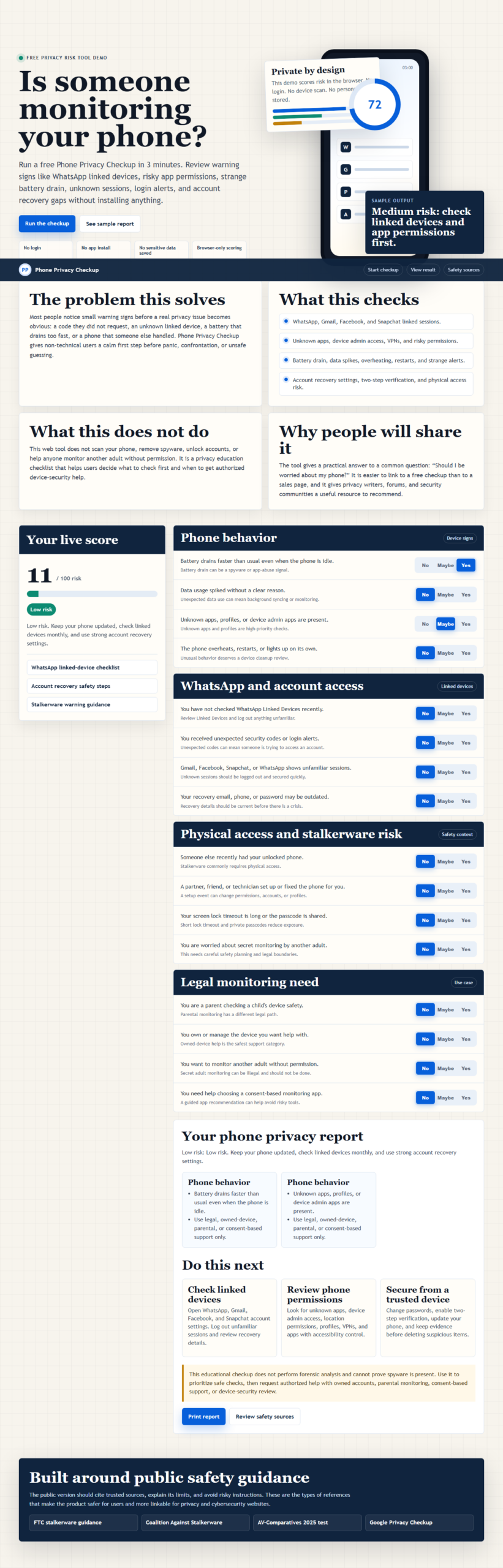
Run a free Phone Privacy Checkup in 3 minutes. Review warning signs like linked messaging sessions, risky app permissions, strange battery drain, unknown account access, login alerts, and recovery gaps without installing anything.
This demo scores risk in the browser. No login. No device scan. No personal data stored.
The problem this solves
Most people notice small warning signs before a real privacy issue becomes obvious: a code they did not request, an unknown linked device, a battery that drains too fast, or a phone that someone else handled. Phone Privacy Checkup gives non-technical users a calm first step before panic, confrontation, or unsafe guessing.
If several warning signs remain unexplained, continue with the step-by-step spy-app detection guide before removing apps or resetting the device.
What this checks
- Messaging, email, social, and account linked sessions.
- Unknown apps, device admin access, VPNs, and risky permissions.
- Battery drain, data spikes, overheating, restarts, and strange alerts.
- Account recovery settings, two-step verification, and physical access risk.
What this does not do
This web tool does not scan your phone, remove spyware, unlock accounts, or help anyone monitor another adult without permission. It is a privacy education checklist that helps users decide what to check first and when to get authorized device-security help.
Why people will share it
The tool gives a practical answer to a common question: “Should I be worried about my phone?” It is easier to link to a free checkup than to a sales page, and it gives privacy writers, forums, and security communities a useful resource to recommend.
Phone privacy checkup for iPhone
On iPhone, review Settings > Privacy & Security > Safety Check, Apple Account devices, location sharing, app permissions, configuration profiles, VPNs, and recent sign-in alerts. Apple says Safety Check can review sharing, connected devices, privacy permissions, trusted phone numbers, and account access.
Phone privacy checkup for Android
On Android, open Settings > Security & privacy. Review the Privacy Dashboard or Permission Manager, Play Protect, device admin apps, accessibility access, VPNs, unknown apps, linked Google Account devices, and location sharing.
If your result shows high risk
Use a trusted device to secure important accounts, preserve screenshots or alerts, remove unfamiliar sessions, update recovery details, and follow the Android and iPhone cleanup guide. For broader protection, review the ransomware protection checklist.
When professional help makes sense
Request authorized help when you cannot explain an account session, device profile, administrator app, or repeated login alert. Read the iPhone remote-risk guide or contact Spy Wizards for lawful account and device-security support.
Your phone privacy report
Complete the checkup to generate a tailored report. This demo starts with a low-risk baseline and updates instantly.
Do this next
Open messaging, email, social, and account security settings. Log out unfamiliar sessions and review recovery details.
Look for unknown apps, device admin access, location permissions, profiles, VPNs, and apps with accessibility control.
Change passwords, enable two-step verification, update your phone, and keep evidence before deleting suspicious items.
Privacy and data handling
This checkup runs entirely in your browser. It does not request your name, email address, phone number, account password, photos, contacts, location, or device files. Your answers are not submitted to Spy Wizards, stored in local browser storage, or sent to a scanning service. Reloading or closing the page clears the current score. The tool provides educational guidance and does not scan your device or prove that spyware is installed.
Phone privacy checkup questions
Does Phone Privacy Checkup scan my phone?
No. It is a browser-based checklist. It does not install software, access device files, or scan for malware.
Does the checkup collect or save my answers?
No. The score is calculated in the current browser page. The tool does not submit answers or store them in local browser storage.
Does it work for both iPhone and Android?
Yes. The questions cover account sessions, risky permissions, unknown apps or profiles, location sharing, recovery settings, and warning signs relevant to both platforms.
Can this checkup prove spyware is installed?
No. A checklist cannot prove that spyware is present. It can identify warning signs and help you prioritize safer checks or professional forensic support.
How often should I run a phone privacy checkup?
Run it after an unfamiliar login alert, unexpected verification code, unexplained settings change, or physical access by someone you do not trust. A monthly review is also reasonable for higher-risk accounts.
What should I do after a high-risk result?
Preserve evidence, secure accounts from a trusted device, remove unfamiliar sessions, update recovery details, install operating-system updates, and request authorized help if the warning signs continue.
What if changing settings could put me at risk?
Use a safer device and speak with a trusted support organization before making changes. Some account or sharing changes may alert another person who previously had access.
Built around public safety guidance
The public version should cite trusted sources, explain its limits, and avoid risky instructions. These are the types of references that make the product safer for users and more linkable for privacy and cybersecurity websites.
Leave a Reply