How to Log Into Someone’s iCloud Without Them Knowing: Access, Awareness, and Ethics
In my ten years of conducting digital investigations and providing cybersecurity consulting, few questions are as common or as fraught with legal peril as this one. Clients often ask, with a mix of hope and desperation, for a method to accomplish one specific task: how to log into someone’s iCloud without them knowing. The reasons behind the question range from concerned parents to suspicious partners, but the technical and legal landscape is uniformly complex.
Updated February 2026
Let me state this unequivocally: Accessing someone else’s iCloud account without their explicit permission is illegal. It violates computer fraud laws, privacy statutes, and Apple’s Terms of Service. This article does not provide a blueprint for crime. Instead, it serves as a professional analysis of why this goal is so difficult, the methods often discussed, their fatal flaws, and the legal, ethical alternatives that exist for those with a legitimate right to monitor digital activity. Understanding the mechanics is your first step toward a legal solution or better personal security.
Why True Stealth iCloud Access is Nearly Impossible
Apple has built iCloud security with multiple, robust layers designed specifically to prevent unauthorized access. The notion of an invisible login is antithetical to its core architecture.
- Two-Factor Authentication (2FA): This is the primary gatekeeper. Even with a correct password, logging into iCloud from a new device triggers a verification prompt on the account owner’s trusted devices (their iPhone, iPad, or Mac). They must approve the login. Without this approval, access is blocked.
- Notification Ecosystem: Apple’s system is designed for transparency. New logins generate emails and push notifications. The account owner can review all trusted devices and active sessions in their Apple ID settings.
- End-to-End Encryption: For key data like passwords, health information, and Home data, even Apple cannot access it. This encryption is tied to the user’s device passcode.
Therefore, achieving a login that is both successful and undetected requires bypassing these interconnected systems—a task far beyond typical “hacking” guides.
The Flawed Methods: Why Common “Solutions” Fail
Online forums are rife with suggested methods. As a professional, I must explain why they are ineffective or dangerous.
1. Password Guessing & Phishing:
- The Theory: Use personal knowledge to guess a password or send a deceptive email to trick the target into entering their credentials on a fake iCloud page.
- The Reality: This method fails at the 2FA stage. Even if you get the password, the login attempt will trigger an alert. Phishing is also a serious crime and easily traced by authorities.
2. Exploiting Shared Family Accounts:
- The Theory: If you’re part of an Apple Family Sharing group, you might have limited visibility into purchases or location, but not direct iCloud data access.
- The Reality: Family Sharing does not grant login credentials or access to photos, messages, emails, or notes of other members. It is not a backdoor.
3. Using a Keylogger on a Shared Computer:
- The Theory: Install software on a computer the target uses to capture their Apple ID password when typed.
- The Reality: This captures the password, but not the 2FA code. The moment you use that password from a new device, the target receives the approval request. It also requires you to already have physical access to install the keylogger.
The Legal and Effective Alternative: Device-Focused Monitoring
Since directly and stealthily logging into the iCloud web portal is a flawed goal, the professional and legal approach shifts focus. Instead of targeting the cloud account, you monitor the trusted device that already has access to that iCloud data. This requires one-time physical access to the target’s iPhone for installation, but thereafter provides comprehensive oversight without triggering iCloud security alerts, because the monitoring software runs locally on the device.
1. Sphnix Tracking App: Comprehensive Device Intelligence
Sphnix operates by providing a complete mirror of the target iPhone’s activity to a secure online dashboard. It doesn’t log into iCloud; it shows you what’s already on the device synced from iCloud.
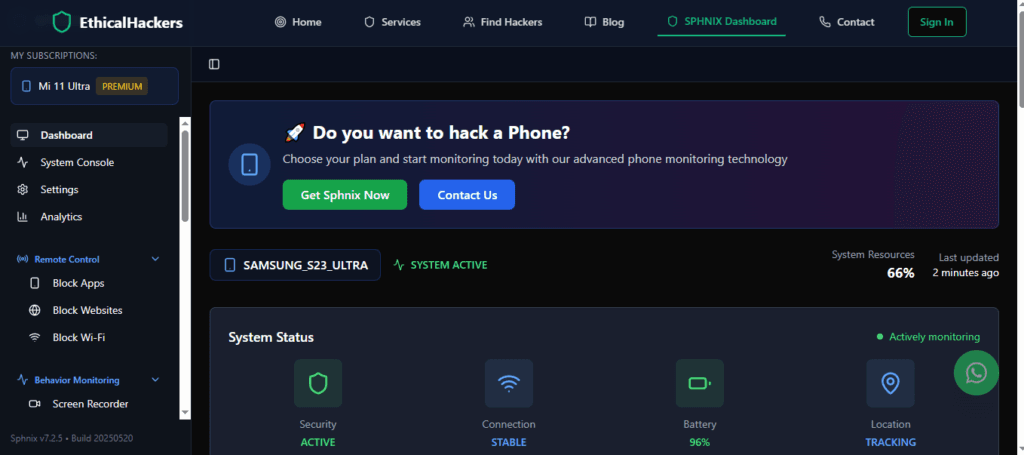
- Key Features for iCloud Data Visibility:
- iCloud Photos & Videos: Access the entire Photos library synced from iCloud.
- iMessage & SMS Logs: Read all messages, including those delivered via iCloud.
- Contact & Calendar Sync: View contacts and calendar entries updated through iCloud.
- Notes & Reminders: Monitor notes and reminders stored in iCloud.
- Location History: See device location, which is often synced via Find My.
2. mSpy: The Industry Standard for Parental and Employee Monitoring
mSpy is a powerhouse application trusted by millions for its reliability and depth. It excels at presenting iCloud-synced data in an organized, actionable format.

- Key Features for iCloud Data Visibility:
- Social Media & Message Monitoring: Tracks chats across platforms, many of which can be backed up to iCloud.
- Keylogger Functionality: Captures all keystrokes, which could include notes or emails drafted in iCloud-connected apps.
- Geofencing: Set up alerts for when the device (synced via iCloud’s Find My) enters or leaves a designated area.
- App Activity Reports: See how and when apps, including those storing data in iCloud, are used.
3. Parentaler: Streamlined for Family Safety
Parentaler is designed with a clear, intuitive interface for parents. It translates device and iCloud-synced activity into straightforward safety insights.
- Key Features for iCloud Data Visibility:
- Web History & Bookmark Monitoring: See browsing history, which may sync across iCloud devices.
- App Blocking & Alerts: Restrict access to specific apps and receive notifications concerning inappropriate activity.
- Call & Text Monitoring: Review all communications on the device.
- Simple Location Tracking: Easy-to-use location viewing based on Find My network data.
Parentaler is the ideal choice for parents who want to oversee their child’s iPhone use, including data shared via their iCloud account, in a simple, effective way.
The Professional Service Option: When Software Isn’t Enough
There are scenarios where monitoring software is not viable—perhaps you cannot obtain the necessary physical access, or the situation requires historical data recovery or legal defensibility. In these cases, a professional digital forensics service is the only ethical alternative.
- What They Offer: Experts use legal channels, advanced forensic tools, and specialized techniques to recover data from devices or legally obtained backups. They can sometimes assist in legally recovering access to an account (e.g., for a deceased family member).
- The Critical Difference: This is not about secrecy; it’s about applying expert knowledge within strict legal boundaries. They provide documented evidence and operate with clear authority.
Conclusion: Shifting the Goal from Stealth to Authority
The quest to learn how to log into someone’s iCloud without them knowing is a pursuit of a digital ghost. Apple’s security makes true stealth access virtually impossible for the average person and highly illegal. The practical and legal solution is to reorient your approach.
For authorized monitoring, device-focused applications like Sphnix, mSpy, and Parentaler offer a powerful, legal means to view the iCloud-synced data that matters. They provide the insight without the felony. If your situation is complex and falls outside the scope of consumer software, then professional services exist to navigate the legal pathways.
Attempting unauthorized access is a high-risk endeavor with severe consequences. If you have a legitimate need to access iCloud data but lack the technical or legal means, consulting with an expert is the responsible and effective course of action. Our team at SpyWizards can provide a confidential assessment of your situation and explore professional, ethical solutions.
Frequently Asked Questions (FAQs)
Q1: If I use their Apple ID on another device, won’t they know?
Yes, they will know almost immediately. They will receive a notification on their trusted devices asking to approve the login. Their list of trusted devices in their Apple ID settings will also update, showing your device. This method is highly detectable.
Q2: Can I bypass Apple’s two-factor authentication (2FA)?
There is no reliable method to bypass 2FA without access to one of the account’s already-trusted devices or its phone number. Services claiming to bypass 2FA are scams. The system is designed to make remote, unauthorized access without the user’s knowledge extraordinarily difficult.
Q3: Will monitoring software like mSpy send a notification to the iCloud account?
No. Reputable monitoring software does not interact with the iCloud login process. It is installed directly on the device and reports data from the device’s local storage and activity. It does not create a new iCloud login session, so it will not trigger Apple’s 2FA or new device alerts.