How to Hack Someone’s Email, Legality, and Methods
Over a decade in cybersecurity and digital investigation has taught me one universal truth: the email inbox is often the most coveted digital treasure trove. Clients, law enforcement, and concerned individuals frequently ask me the same urgent question: how to hack someone’s email. The motivations range from recovering a lost account to investigating suspected infidelity or corporate espionage.
Updated February 2026

It is my absolute duty to begin with a critical warning: Accessing someone else’s email account without their explicit permission is a serious crime in virtually every country. It violates laws like the Computer Fraud and Abuse Act and can lead to severe fines and imprisonment. This guide exists solely to educate on methods used for legal purposes, such as recovering your own account, monitoring a minor child’s activity with their knowledge, or investigating a company-owned email asset with prior authorization.
The phrase “how to hack someone’s email” is sensationalized. In practice, it rarely involves Hollywood-style coding exploits. Most unauthorized access is achieved through simpler means: social engineering, password reuse, or the use of monitoring tools on a device you own. Understanding these methods is the first step in protecting yourself and, if you have a legal right, in gaining authorized access.
The Foundation: Why “Hacking” Usually Means Something Else
True email server breaches are complex and targeted at large organizations. For individual accounts, “hacking” typically refers to one of three avenues:
- Credential Compromise: Obtaining the username and password.
- Session Hijacking: Intercepting an active login session.
- Device-Level Monitoring: Capturing email activity directly from a phone or computer.
The latter is often the most viable for authorized oversight. Let’s break down the common methods, starting with the most basic.
Method 1: Password Recovery and Guessing (The Low-Tech Approach)
This is often the first and simplest attempt. It doesn’t require software, just information.
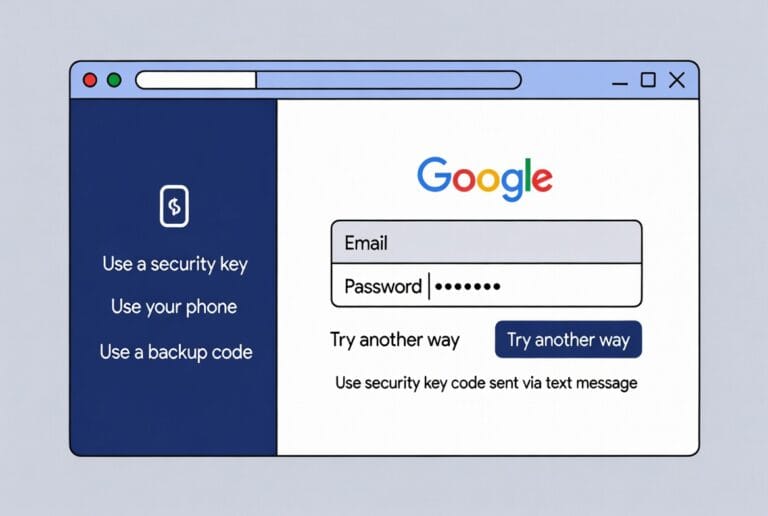
- How It Works: Every email service (Gmail, Outlook, Yahoo) has a “Forgot Password” feature. This process asks security questions, sends a code to a recovery phone/email, or requires other verification. If you have access to the target’s secondary recovery email or phone, you can reset the password.
- Phishing & Social Engineering: A more malicious version involves tricking the target into entering their credentials on a fake login page (phishing) or impersonating them to manipulate customer support (social engineering).
- The Limitation: This method is highly detectable. The legitimate user will be locked out and receive notifications. It’s a one-time access event, not ongoing monitoring. For ethical recovery of your own account, use the official channels. For anything else, it’s illegal and obvious.
Method 2: Using a Keylogger (Capturing Credentials Directly)
A keylogger is software or hardware that records every keystroke typed on a computer or phone. If installed on a device the target uses, it can capture their email password as they type it.
- How It Works: The keylogger runs invisibly in the background, logging all keyboard input. This data is then sent to a remote server or saved locally for you to review.
- The Reality: Modern security is a barrier. Hardware keyloggers require physical installation on a computer. Software keyloggers need to be installed on the target device, which requires physical access and may be flagged by antivirus programs. Furthermore, it only captures the password at a single point in time; if the user changes it later, access is lost. It’s a blunt tool with significant limitations for ongoing email monitoring.
Method 3: Browser and Device Monitoring Software (The Comprehensive Solution)
This is the most effective and sustainable method for authorized monitoring. Instead of just capturing a password, these applications provide full, ongoing access to email activity by monitoring the device itself. After a one-time installation, they report all activity to a secure online dashboard.
1. Sphnix Tracking App: Stealth and Depth
Sphnix provides deep device monitoring, making email activity transparent on the target’s phone or computer.
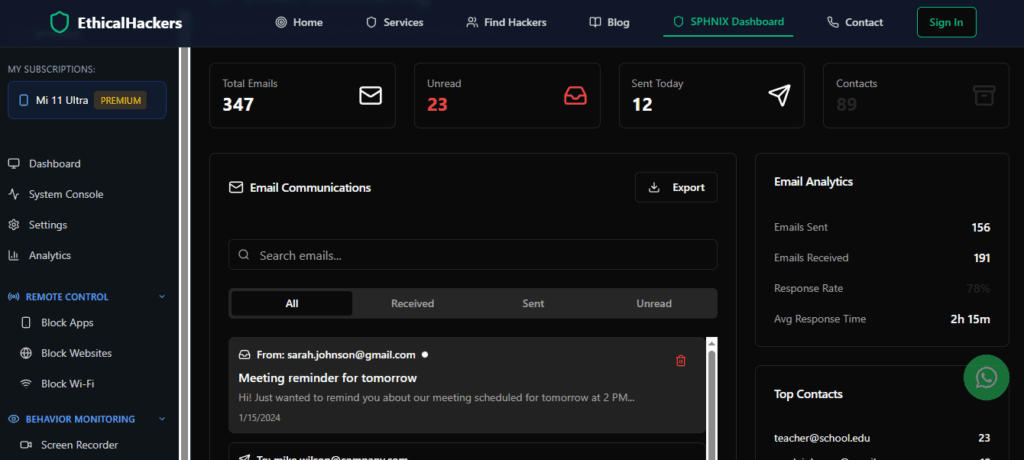
- Key Features for Email Monitoring:
- Browser History & Logins: See all visited websites, including email login pages (like Gmail.com, Outlook.com).
- Keystroke Logging (Keylogger): Captures usernames, passwords, and typed messages.
- Application Activity: Monitor activity within specific apps, including dedicated email clients.
- Screenshot Capture: Takes screenshots of the device at intervals, potentially capturing open email inboxes.
- Real-Time Reporting: All data is synced to a private web-based control panel.
Sphnix is a powerful all-in-one solution for understanding everything happening on a target device, making it easier to see email habits.
2. Scannero: Location-Based Phone Finder with Digital Clues
Scannero takes a different, more indirect approach. It’s primarily a global phone number location tracker, but its methodology can provide crucial clues in an email investigation.

- Key Features for Investigative Work:
- Global Phone Tracking: Locate a phone number’s approximate location worldwide, which can corroborate an email account’s login locations.
- SMS Sending for Verification: Can send an SMS to a target number, which could be used as part of a social engineering tactic to gain trust or information.
- Data Correlation: While it doesn’t directly hack email, the location and status data it provides can be critical intelligence when piecing together someone’s digital footprint and verifying if they are where they claim to be when emails are sent.
Think of Scannero as a valuable tool in the broader investigative toolkit, not a direct email hacker.
3. Moniterro: All-in-One Monitoring and Control
Moniterro is a robust monitoring suite designed to give you complete oversight of a target device’s communications and activities.

- Key Features for Email Monitoring:
- Social Media & Message Monitoring: Tracks apps like WhatsApp, Facebook, Instagram, and crucially, can monitor email clients if configured.
- Call and SMS Tracking: Logs all phone calls and text messages, which often contain email-related codes or conversations.
- GPS Location Tracking: Provides real-time and historical location data.
- Ambient Recording: Can remotely activate the device’s microphone to hear surroundings, potentially capturing conversations about email accounts.
- Remote Control Features: Some versions may allow you to lock the device or wipe data.
Moniterro is for situations where you need maximum insight and control over a device you own or have legal authority to monitor.
Method 4: Professional Digital Forensics Services
When the above methods are insufficient, illegal, or too technically demanding, professional services are the only ethical alternative. This is not about finding a software “hack”; it’s about hiring certified experts who operate within legal frameworks.
- When It’s Necessary: In legal cases (divorce, litigation), corporate investigations involving data theft, or when you have a legitimate right to information but no technical path to obtain it.
- What They Do: Professionals use advanced forensic tools, legal processes (like subpoenas), and investigative techniques to recover data, analyze metadata, and sometimes gain authorized access to accounts. They provide court-admissible evidence and operate with clear legal boundaries.
Choosing the Right Path for Your Situation
Your legal standing defines your options:
- For Personal Account Recovery: Use only official email provider tools.
- For Monitoring a Child’s Device (Transparently): A tool like Moniterro can be used with their knowledge for safety.
- For Investigating a Company-Owned Device: Sphnix or Moniterro with prior written employee consent is a standard practice.
- For Gathering Intelligence as Part of a Larger Investigation: Scannero can provide valuable supporting data.
- For Legal, High-Stakes, or Complex Cases: Professional forensic services are the only appropriate choice.
Conclusion: Knowledge as a Shield and a Tool
The question of how to hack someones email reveals a deep-seated need for information. In a legal context, this need can be met through device monitoring software, professional services, and a strict adherence to ethics. Understanding these methods is also your best defense against them—enable two-factor authentication, use unique passwords, and be vigilant about the physical security of your devices.
If your need for information is legitimate but lies beyond your technical capability or legal authority to execute yourself, seeking expert help is the responsible course of action. Attempting illegal access carries profound risks.
Navigating the boundary between legitimate investigation and illegal intrusion requires expert guidance. If you have a justified reason to access email information but lack the means or want to ensure complete legality, our professional team at SpyWizards can assess your situation and provide a confidential, ethical path forward.
Frequently Asked Questions (FAQs)
Q1: Is it possible to hack an email with just the email address?
No, it is not possible. An email address alone is a public identifier, like a street address. Gaining access requires the associated password, control of a recovery method, or a vulnerability in the user’s behavior or device. Services claiming to do this are scams.
Q2: Can I hack email remotely without any software installation?
True remote hacking (exploiting a server flaw) is extremely rare for individual accounts and illegal. The most common “remote” method is phishing, which tricks the user into giving up credentials, but this is still a crime. Authorized monitoring always requires some form of initial access, often through software installed on a target device.
Q3: Will the email account owner know if I’m monitoring their email via a device tracker?
High-quality monitoring software like Sphnix or Moniterro is designed to be undetectable. It runs in stealth mode, doesn’t appear in app lists, and doesn’t send notifications. However, if they check their email account’s login activity page (which lists devices and locations), they might see an unfamiliar session if the monitoring software accesses the webmail, though advanced tools can mask this.