
Updated August 8, 2026 | Reviewed against current WhatsApp recovery guidance and monitoring-app setup information.
People who search how to hack WhatsApp are often trying to solve one of four problems: recover an account, check whether someone linked another device, understand a suspicious login, or supervise a family phone. This guide answers those questions directly. It explains how takeovers happen without turning the article into a break-in manual.
The short answer: there is no credible website or app that opens any WhatsApp account from a phone number alone. Real compromises usually depend on a stolen verification code, an unauthorized linked device, a SIM swap, access to an unlocked phone, malicious software, or control of a recovery account.
If you need help with an owned account after reading the risks, the WhatsApp security and recovery service explains the lawful support scope and intake path.
Quick answer: choose the problem you need to solve
- You lost access: re-register your number in the official WhatsApp app and secure the mobile and email accounts behind it.
- You suspect a linked device: check Linked Devices and remove anything unfamiliar.
- You need family oversight: compare Sphnix or a compatible parental-monitoring product after confirming the phone and setup method.
- You have fraud or impersonation evidence: preserve screenshots and request an authorized account-security review.
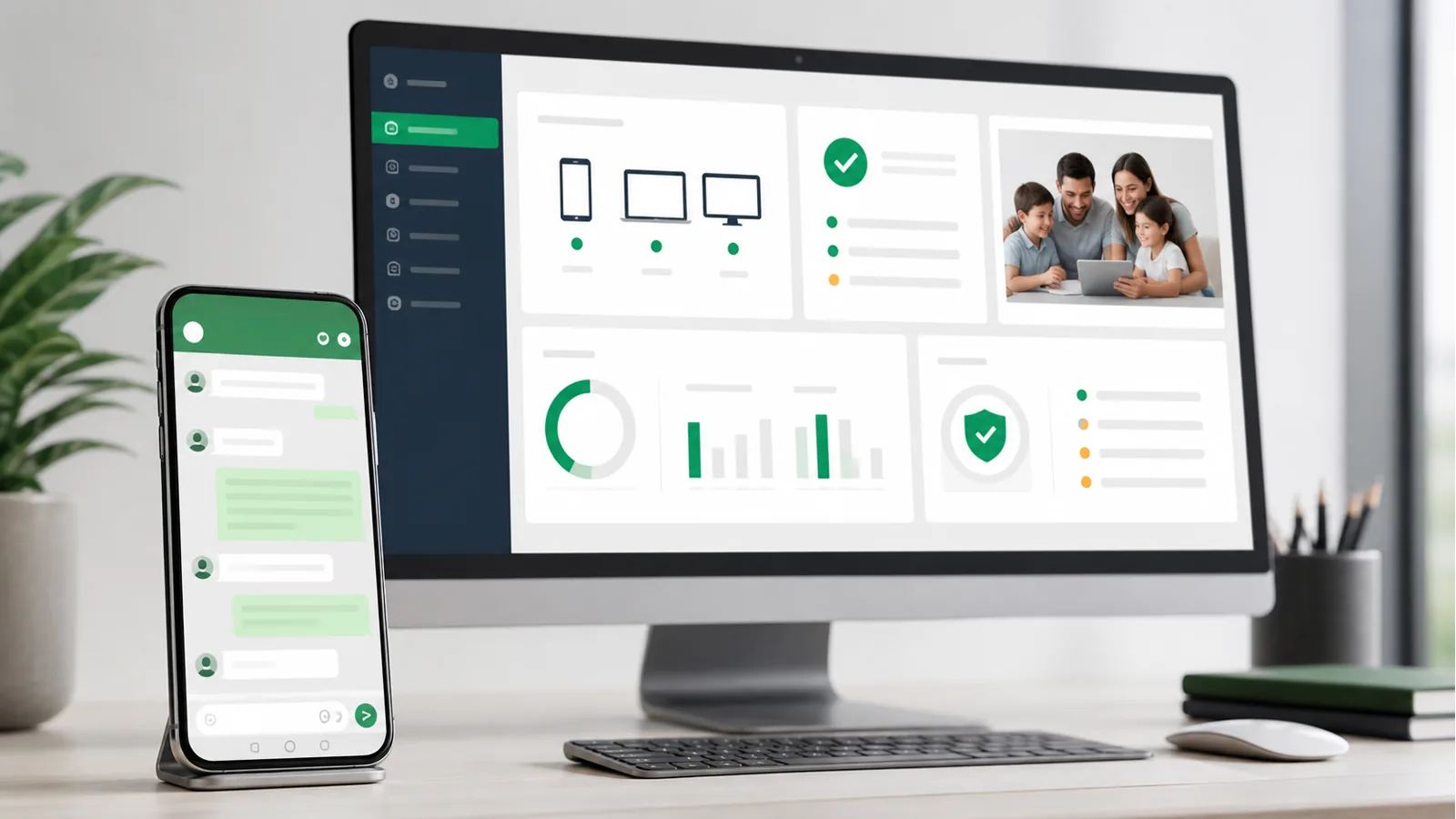
A useful WhatsApp safety setup starts with account controls and device compatibility, not promises of instant remote access.
What people mean by “how to hack WhatsApp”
The wording is broad, but the intent is not always the same. Some readers want to know whether a warning is real. Others are locked out of their own account, checking a child’s phone, or considering a product that claims to show WhatsApp activity. A smaller group is looking for unauthorized access, which legitimate software and professional support should not provide.
Recover my account
Use official registration and recovery steps, then secure the phone number and email account.
Check linked devices
Review every computer, browser, tablet, and phone connected to your WhatsApp account.
Monitor a family device
Compare apps by phone, OS, access requirements, and the exact WhatsApp records they support.
Investigate impersonation
Save evidence, warn contacts, secure related accounts, and get authorized help where needed.
How WhatsApp accounts are actually compromised
WhatsApp protects message delivery with end-to-end encryption, but encryption does not solve every account-security problem. If someone controls registration, a linked session, the phone, or a connected recovery account, they may still be able to impersonate the owner or see data available on that endpoint.
Verification-code theft
A criminal starts a WhatsApp registration using the victim’s number, then invents a reason for the victim to share the six-digit code. Common stories include a code “sent by mistake,” a fake account warning, or a friend who supposedly needs help. The safe rule is simple: never give a WhatsApp registration code or two-step verification PIN to another person.
Unauthorized linked devices
WhatsApp can connect browsers, computers, tablets, and additional phones. This is convenient, but an unfamiliar linked session can remain a window into the account until it is removed. A person with brief access to an unlocked phone may try to approve a session. Review Linked Devices whenever messages appear read, sent, or synchronized unexpectedly.
SIM swap or number-port fraud
In a SIM swap, an attacker persuades a mobile carrier to move a number to another SIM or eSIM. Sudden loss of calls, texts, and cellular service can be a warning. Contact the carrier immediately, add an account PIN, and ask whether a recent SIM or port request was made.
Access to an unlocked phone
A stolen or unattended unlocked phone may expose notifications, open chats, backups, or account settings. Use a strong device passcode, biometric lock, short auto-lock period, and WhatsApp’s available chat or app-lock controls. Remote device-lock tools from Apple or Google can also help when the phone is missing.
Malicious apps and unsafe downloads
Unknown APK files, fake “WhatsApp Plus” packages, accessibility abuse, and apps with excessive notification or screen permissions can expose information on the device. Install apps from trusted stores, review high-risk permissions, keep the operating system updated, and remove software you do not recognize.
Email and cloud-account compromise
WhatsApp may use email for account protection and recovery features. A weak email password can undermine otherwise careful phone security. Give the email account its own unique password and multifactor authentication, then review recent sign-ins and recovery methods.
Phone number only? Knowing a number is not enough to read its WhatsApp messages. Claims of instant “number-only hacking” commonly lead to payment fraud, credential theft, malicious downloads, or fabricated dashboards.
Signs that your WhatsApp may be hacked or linked
Account signs
- You are logged out without requesting it.
- A registration or verification code arrives unexpectedly.
- Your two-step PIN or recovery email changes.
- WhatsApp reports a new registration.
Message signs
- Contacts receive messages you did not send.
- Chats appear read or archived unexpectedly.
- Your profile photo, name, or status changes.
- Friends report money requests or strange links.
Device signs
- An unknown browser or computer appears under Linked Devices.
- The phone shows unfamiliar administrator or accessibility permissions.
- Battery or data use rises without an obvious cause.
- Security alerts mention an unfamiliar device.
Mobile-account signs
- Calls and SMS suddenly stop working.
- The carrier reports a new SIM or eSIM.
- Your carrier password or account PIN changes.
- Email recovery details are modified.
What to do if your WhatsApp is hacked
Work in this order. The goal is to regain registration, close other sessions, and secure the accounts that could let the problem return.
- Re-register your number. Open the official WhatsApp app, enter your phone number, and use the SMS or call code sent to you. Entering the new code should remove another registration using that number.
- Review Linked Devices. Open WhatsApp settings, choose Linked Devices, and log out of every session you do not recognize. If you are uncertain, remove all sessions and reconnect the ones you trust.
- Enable two-step verification. Create a PIN you do not reuse elsewhere and add an email address you control. Do not share either the PIN or a verification code.
- Secure your email and mobile account. Change reused passwords, enable multifactor authentication, inspect recent email logins, and add a carrier account PIN or port-out lock.
- Warn your contacts. Tell them to ignore recent payment requests, codes, links, or unusual messages. Use another channel if you are still locked out.
- Save evidence. Keep screenshots, timestamps, numbers, payment addresses, carrier notices, and linked-device details before deleting messages or resetting the phone.
- Escalate fraud. Contact WhatsApp support, your carrier, bank or payment provider, and local reporting channels when money, impersonation, threats, or identity documents are involved.
Can someone hack WhatsApp without the phone?
Not in the way most ads describe. Attackers may not need to keep the physical phone if they already stole a verification code, linked a device, took over the SIM, or compromised a connected account. But those are specific forms of access, not a universal remote trick.
If that exact question brought you here, read our separate guide to WhatsApp access without the phone. It focuses on the myths, warning signs, and recovery steps for that narrow query. For phone-number claims, see whether WhatsApp can be accessed with a number alone.
Can a monitoring app show WhatsApp activity?
Some parental-control and phone-monitoring products advertise selected WhatsApp records. What actually appears depends on the operating system, phone model, WhatsApp version, product permissions, and installation method. Android usually requires initial access to install the app and approve permissions. iPhone options may rely on an authorized Apple account, backups, local Wi-Fi sync, or a more limited feature set.
“Remote monitoring” normally means reviewing available records from a web dashboard after setup. It does not mean typing in any person’s phone number and bypassing their device. Before paying, write down the exact phone model, OS version, and the WhatsApp data you need, then ask the provider to confirm support in writing.
Start with the Sphnix dashboard demo
Sphnix is designed for buyers who want one place to review supported calls, messages, social activity, location, media, reports, and device status. The live demo lets you inspect the dashboard experience before choosing a plan.
The demo is a product preview. Confirm the supported phone, onboarding method, and WhatsApp data available for your setup before purchase.
WhatsApp monitoring apps to compare
Do not choose from a logo or a discount countdown. Compare setup access, iPhone versus Android coverage, device limits, renewal price, and the exact WhatsApp records supported on your phone.
mSpy
A mature commercial option with Android and iPhone setup routes. It is worth checking when location, calls, texts, web activity, and supported social apps need to sit in one dashboard.
Eyezy
An alternative parental-monitoring dashboard with location and activity tools. Confirm WhatsApp support for the exact phone and setup method before subscribing.
Spynger
An option shoppers compare when communication and social-app activity are the priority. Check access requirements, operating-system support, and renewal terms.
Parentaler
A family-safety product worth comparing for activity and location oversight. Verify device limits and WhatsApp feature availability before payment.
| Option | Best reason to consider it | Verify before buying |
|---|---|---|
| Sphnix | You want to inspect the Spy Wizards dashboard experience first. | Supported phone, onboarding, and live feature availability. |
| mSpy | You want a broad commercial feature list across phone activity categories. | Exact WhatsApp coverage and total renewal cost. |
| Eyezy | You prefer a different dashboard and alert-oriented experience. | Android versus iPhone feature differences. |
| Spynger | Communication and social activity are the main buying reason. | Permissions, installation access, and supported apps. |
| Parentaler | You want a product positioned around family oversight. | Device limits, compatibility, and subscription terms. |
When professional help makes more sense than an app
A monitoring app is not an account-recovery service. Consider authorized support when you are locked out, an unknown device remains connected, a criminal is impersonating you, money was sent, a SIM swap is suspected, or the phone may contain unwanted software. A legitimate reviewer should explain what evidence is needed, what can realistically be checked, and where official platform or carrier support must be involved.
Spy Wizards does not need your one-time code or two-step PIN to discuss next steps. Start with the WhatsApp recovery and security support guide, then use the contact page for a lawful account or device review.
What not to buy
- Phone-number-only access panels: a number is not a key to message history.
- Anonymous “hackers” requesting crypto upfront: screenshots of a dashboard are not proof of access.
- Unknown APK files: they may steal your own credentials, photos, notifications, or payment details.
- Verification-code services: anyone asking for your code is trying to register or recover an account.
- Guaranteed invisible monitoring: device protections, permissions, notifications, and updates can expose installed software.
Frequently asked questions
Can WhatsApp really be hacked?
Accounts can be compromised through stolen verification codes, unauthorized linked devices, SIM swaps, stolen unlocked phones, malware, or a compromised email account. End-to-end encryption does not protect an account when an attacker controls an endpoint or registration process.
Can someone hack WhatsApp with only a phone number?
No. A number can be used to target someone with phishing or SIM-swap attempts, but it does not reveal WhatsApp messages by itself. Be cautious of any seller claiming otherwise.
How do I know whether my WhatsApp is linked to another device?
Open WhatsApp settings and review Linked Devices. Remove any browser, computer, tablet, or phone you do not recognize, then secure the account and its recovery email.
Can a parental monitoring app show WhatsApp activity?
Some products advertise selected WhatsApp records, especially on Android. Coverage varies by phone, OS, app version, installation method, and permissions. Confirm your exact setup before paying.
What should I do first if my WhatsApp is hacked?
Re-register your number in the official app, remove unknown linked devices, enable two-step verification, secure your email and mobile account, warn contacts, and preserve fraud evidence.
Related WhatsApp guides
Sources and editorial standard
Recovery and account-safety steps were checked against WhatsApp’s compromised-account recovery guidance, its instructions for reviewing linked devices, and the FTC’s explanation of verification-code scams. Product features can change; compatibility claims should be verified on the provider’s current checkout or support page.
Final answer
So, how do people hack WhatsApp in real cases? They usually exploit registration, linked sessions, the phone, the SIM, or a connected account. That means the practical response is not to search for a magic hacking panel. It is to check linked devices, recover the number, secure email and carrier access, and choose monitoring software only when you have a legitimate device-management use and a compatible setup.
For family monitoring, start with the Sphnix demo so you can see the dashboard before paying. For an account takeover or impersonation problem, use the recovery guide or request an authorized security review.
Leave a Reply