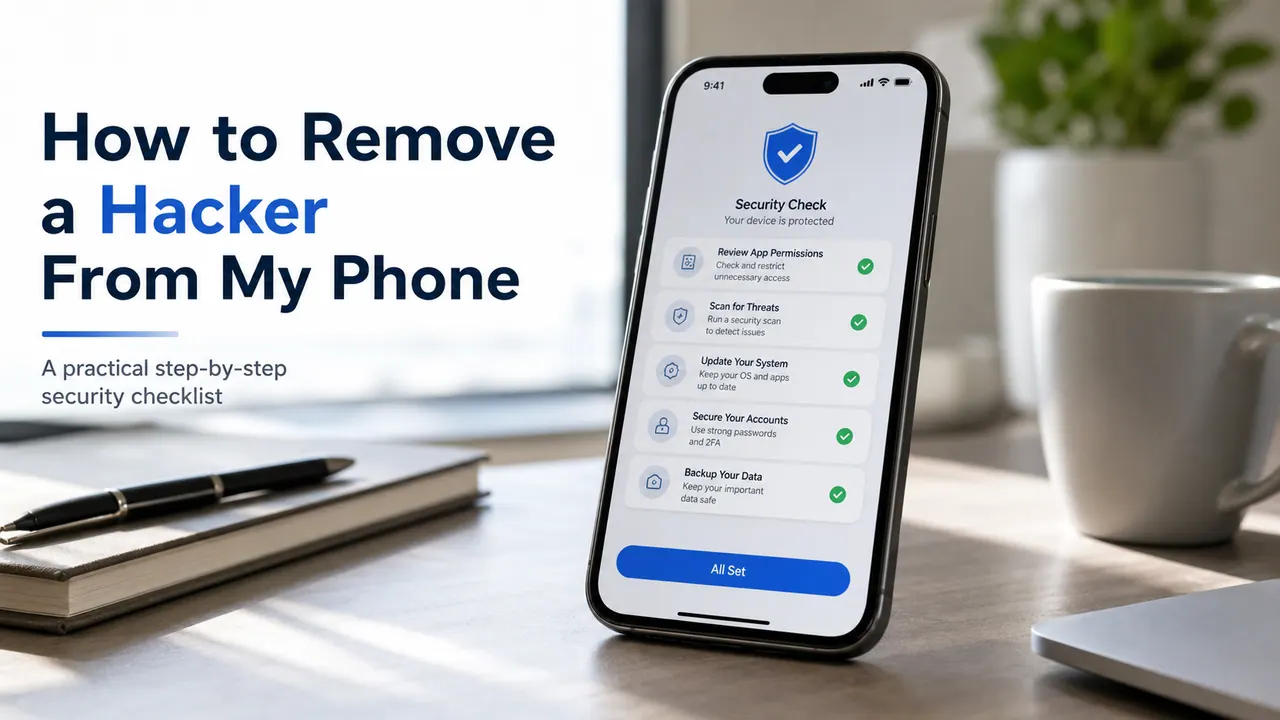
If you searched can someone hack my iPhone, can an iPhone be hacked remotely, or even how to hack an iPhone, the useful answer is not a shady “service.” Most real-world compromises come from Apple ID theft, phishing, fake security pop-ups, unsafe profiles, or someone physically handling the device. The legal alternative for parents, employers, and device owners is consent-based monitoring or built-in Apple controls, not unauthorized access.

Quick answer
Yes, an iPhone can be compromised
But for most people the risk is not a movie-style remote hack. It is usually phishing, reused passwords, Apple ID takeover, unsafe profiles, or someone with device access. Apple itself says Lockdown Mode exists for extremely rare and sophisticated attacks, and that most people are never targeted by attacks of that kind.
No, a legal service cannot “hack any iPhone”
If a site claims it can read iPhone messages with only a phone number, an IMEI, or a random text, treat that as a scam signal. If you need lawful oversight, use Apple Screen Time and Family Sharing or a consent-based monitoring app designed for parents or device owners.
Can Someone Hack My iPhone?
Can someone hack my iPhone? Yes, but the biggest risks are ordinary and preventable. Apple notes that most people are not targeted by elite spyware, which means most iPhone compromise stories boil down to one of five causes: stolen Apple ID credentials, phishing pages, fake security alerts, rogue profiles, or physical access to the device. That matters because it changes the solution. You do not need a “phone hacker.” You need account hardening, device checks, and, in legal use cases, the right monitoring app. If your concern is defense rather than hype, start with this guide on how to block a cell phone hacker.
| Search phrase | What the user usually means | Safe answer |
|---|---|---|
| can someone hack my iphone | Is my phone or Apple account compromised? | Check account alerts, devices, profiles, passwords, and Apple safety settings first. |
| how to hack an iphone | How do people actually get in? | Usually through phishing, stolen credentials, or prior access, not a magic remote trick. |
| can an iphone be hacked remotely | Can a stranger get in from anywhere? | Rarely in high-end targeted attacks. For ordinary users, remote compromise claims are usually exaggerated or fraudulent. |
| hack iphone remotely without target phone | No-install monitoring | Use consent-based location sharing, Apple Family Sharing, or a lawful app that fits your use case. |
Can an iPhone Be Hacked Remotely?
Can an iPhone be hacked remotely? Technically yes, but context matters. Apple describes Lockdown Mode as an extreme security feature for people who may face highly sophisticated attacks, and explicitly says most people are never targeted by those attacks. For everyone else, “remote hacking iPhone” usually means one of these safer-to-explain realities:
- A phishing link that tricks the victim into entering Apple ID details.
- A fake security pop-up that pushes the victim to call a scam number.
- An Apple ID or email account that was already exposed in another breach.
- A configuration profile or device-management setting installed after someone handled the phone.
- A legal monitoring setup on a device the user owns, manages, or has consent to supervise.
High-risk myth to ignore
If a page says it can hack an iPhone with only a phone number, serial number, IMEI, or “one text message,” that is not how legitimate security work is described. Apple says suspicious password prompts, unrecognized devices, and account changes you did not make are much more realistic signs of compromise than a random “remote hack” claim.
Can Someone Hack My iPhone Through Text, a Call, Wi-Fi, or iCloud?
Through text messages
Most of the time, the danger is not the text itself but the link, attachment, or fake login page behind it. Apple warns against following suspicious links and says to change your Apple Account password immediately if you entered details on a scam site.
By answering a call
Answering a call alone is not the common compromise path. The larger risk is social engineering: a fake support caller pressures you to share a code, password, or payment. Apple says support will not ask for those details. For a deeper breakdown, see can you get hacked by calling a number.
On public Wi-Fi
Public Wi-Fi increases exposure to phishing, fake captive portals, and account theft if you sign in carelessly. It is part of the risk picture, but it is usually not the sole reason an iPhone gets compromised.
Through iCloud or Apple Account access
This is one of the biggest real-world risks. Apple says unexpected password-reset prompts, unknown trusted devices, strange account activity, or Lost Mode changes are serious indicators that someone may have access to your Apple Account.
How iPhones Usually Get Compromised
The real attack paths
1. Apple ID takeover
A compromised Apple Account can expose photos, backups, contacts, notes, Find My settings, trusted devices, and recovery options. This is why Apple tells users to change the password first and remove unknown devices.
2. Phishing and fake support
CISA and Apple both warn that urgent security emails, texts, pop-ups, and calls are built to pressure you into clicking or sharing credentials. The compromise happens after the bait works.
3. Unsafe profiles and MDM
Apple’s own safety documentation says configuration profiles and device-management tools can allow access to data or location information. Unknown profiles should be reviewed and deleted.
4. Physical access
Someone with your unlocked phone can change settings, add trust relationships, enable account sharing, or set up monitoring. That is why Stolen Device Protection matters if a thief also knows your passcode.
5. Reused passwords
If your email or Apple password was used anywhere else, an old breach can become a new iPhone problem. That is also why device incidents often spill into email, banking, and social accounts.
6. Installed monitoring software
FTC guidance on stalkerware shows that some monitoring tools can collect location, calls, texts, photos, and even microphone or camera access. This is legal only in narrow, consent-based cases. Outside those cases it is a safety issue. If that risk sounds familiar, review our walkthrough on how to detect a spy app on your phone.
Signs Your iPhone May Be Hacked
One odd behavior does not prove compromise. But multiple signals together usually deserve action, especially if they line up with account warnings. Apple and the FTC both point users toward practical signs rather than dramatic myths.
Apple Account alerts
- Password reset prompts you did not request
- Two-factor codes you did not ask for
- Unknown devices in your Apple Account
Device changes
- Unknown VPN or device-management profiles
- Settings changed without you
- Unexpected Lost Mode or Find My behavior
Abuse or stalkerware signals
- Someone knows details they should not know
- They had physical access to the device
- Battery drain or data use jumps with other warning signs
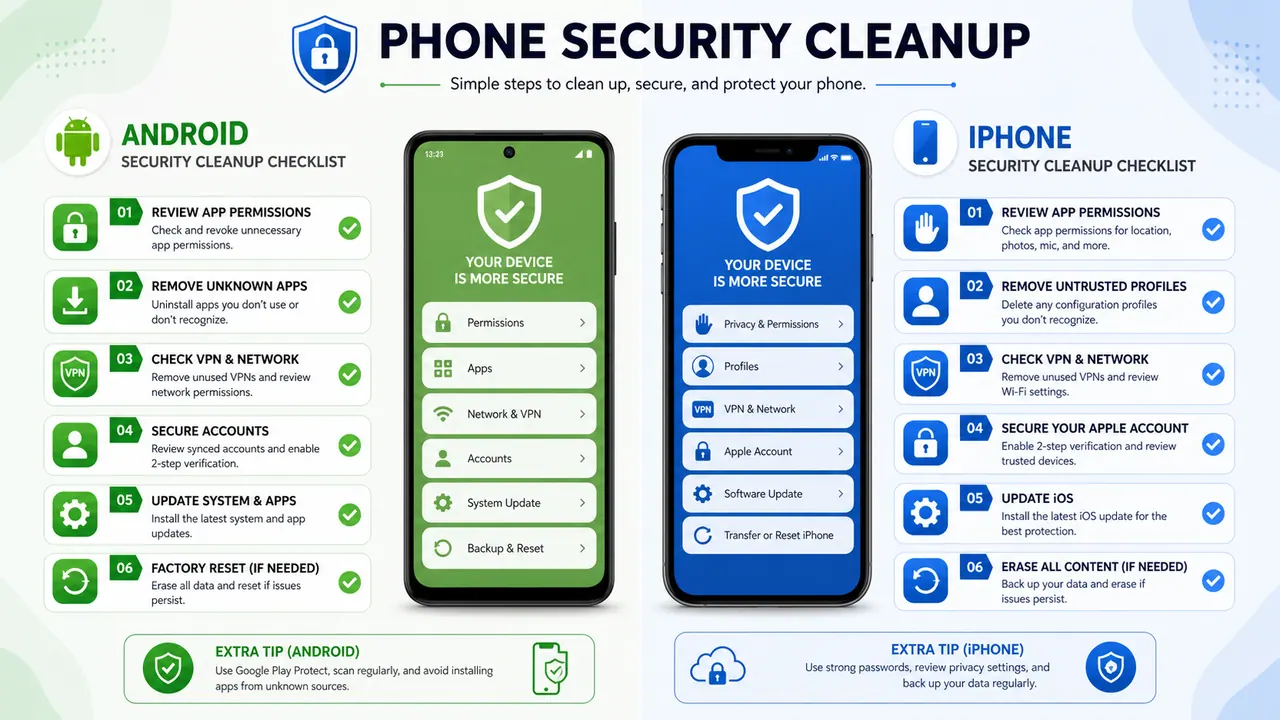
What To Do Immediately If You Think Your iPhone Was Hacked
- Change your Apple Account password from a trusted device or from account.apple.com.
- Turn on or verify two-factor authentication and consider security keys if your risk level is high.
- Review your Apple Account devices and remove anything you do not recognize.
- Check your recovery email addresses, phone numbers, and carrier settings to make sure you still control them.
- Review VPN & Device Management and remove any unknown profile.
- Enable Stolen Device Protection if your iPhone supports it.
- Keep iOS up to date and use Lockdown Mode if you believe you face a highly targeted threat.
- If you may have stalkerware on the device, read the FTC safety guidance before removing anything from the phone, then compare it with our guides on detecting a spy app and removing a spy app safely.
When Is iPhone Monitoring Legal?
This is where most low-quality results fail. Monitoring technology and hacking are not the same thing. Monitoring may be lawful in narrow situations. Unauthorized access is not. Apple, the FTC, and common privacy law principles all point toward the same dividing line: ownership, minor-child supervision, company-device policy, or explicit consent.
Usually lawful
- Parents supervising a minor child’s device
- Employers managing company-owned devices with notice
- Owners monitoring their own device or account
- Adults who gave clear, informed consent
High legal risk or plainly illegal
- Monitoring a spouse or partner without consent
- Trying to read someone else’s texts or iCloud backups
- Buying a “hack service” to break into a random iPhone
- Installing hidden software on an adult’s device without permission
Why this distinction matters
The FTC has repeatedly warned about stalkerware and banned or sued providers that enabled secret phone monitoring. That is why this guide promotes only legal use cases and recommends Apple’s built-in controls first, then consent-based apps for parents and device owners.
Best Legal iPhone Monitoring Apps and Built-In Options
If the real need is lawful monitoring, there are better answers than illegal search results. The strongest mix for 2026 is simple: start with Apple’s built-in tools for free, then move to a paid app only if you need more detailed reporting, filtering, or alerts.
| Option | Best fit | Standout features | Legal angle |
|---|---|---|---|
| Apple Screen Time + Family Sharing | Parents who want the safest official route | App limits, content restrictions, family location sharing, device setup for children | Official Apple features designed for family management |
| Parentaler | Family safety with more filtering and visibility | iOS support, quiet monitoring, browser access, 24/7 support, content controls | Best fit when the use case is minor-child protection |
| mSpy | Detailed monitoring on devices you own or manage with consent | GPS, geofencing, messages, app activity, screen mirroring, keyword alerts | Use only for minors, your own devices, or explicit consent |
| Eyezy | Parents who want a simpler dashboard | Texts, call logs, app usage, browser activity, alert-driven overview | Best for easier onboarding in a family-safety context |
1. Apple Screen Time and Family Sharing
For many families, the best legal iPhone monitoring tool is the one already on the phone. Apple says Family Sharing can help locate devices, share location, and manage a child’s device with Screen Time and parental controls. If your goal is age-appropriate oversight rather than deep surveillance, this should be the first option you evaluate. If you want more choices before buying, compare these parental control apps for iPhone.
- Screen time limits: set time caps for app categories or specific apps.
- Content & Privacy Restrictions: manage allowed content, purchases, apps, and settings for a child’s device.
- Family location sharing: Apple lets family members share live location in Find My, Messages, and Maps.
- Free and official: no third-party account is required for the core family-management features.
2. Parentaler
If you want a more commercial, feature-rich family app, Parentaler is the cleanest legal fit in this keyword cluster. Its official site highlights iOS support, location tools, content controls, and 24/7 support. That makes it easier to recommend as a child-safety tool than as a vague “spy app.” It also fits well beside our broader look at the top parental control apps for iPhone.
- Content filtering: useful when your main need is blocking risky sites and tightening online boundaries.
- Location visibility: practical for family check-ins and trip safety.
- Dashboard access from any browser: easier for parents who do not want a technical setup.
- Quiet operation: good for younger children, though transparency is still the best family policy.
- 24/7 support: helpful if you need onboarding help instead of trial-and-error.
3. mSpy
mSpy remains the strongest feature-heavy option if you need deeper monitoring on a device you own or on a child’s device. On its official site, mSpy highlights real-time monitoring, GPS, app visibility, live screen viewing, and message monitoring. That lines up well with the part of this article aimed at readers who want a legal tool instead of an illegal “hack” claim.
- GPS and geofencing: see current location, location history, and alerts for important places.
- Texts and app activity: useful if your need is broader visibility, not just location.
- Keyword alerts: helpful for surfacing risky terms without manually reading everything.
- Screen mirroring and app-level detail: this is where mSpy pulls ahead of lighter family tools.
- Best fit: device owners, parents, or explicit-consent scenarios only.
4. Eyezy
If you want a simpler presentation layer, Eyezy is the easiest third-party recommendation to position as a legal family app. Eyezy’s iPhone monitoring page highlights text messages, call logs, app usage, browser activity, keyword alerts, and location tools after setup. That makes it a good middle ground between Apple’s built-in controls and a heavier platform like mSpy.
- Text and call visibility: enough for parents who mainly want check-in confidence.
- Browser and app activity: useful for understanding patterns, not just location.
- Simpler reporting: easier for non-technical users than some advanced dashboards.
- Good fit: parents who want broader monitoring than Apple offers, without starting with the most advanced option.
Feature-by-Feature: What Legal iPhone Monitoring Tools Actually Do
GPS and location history
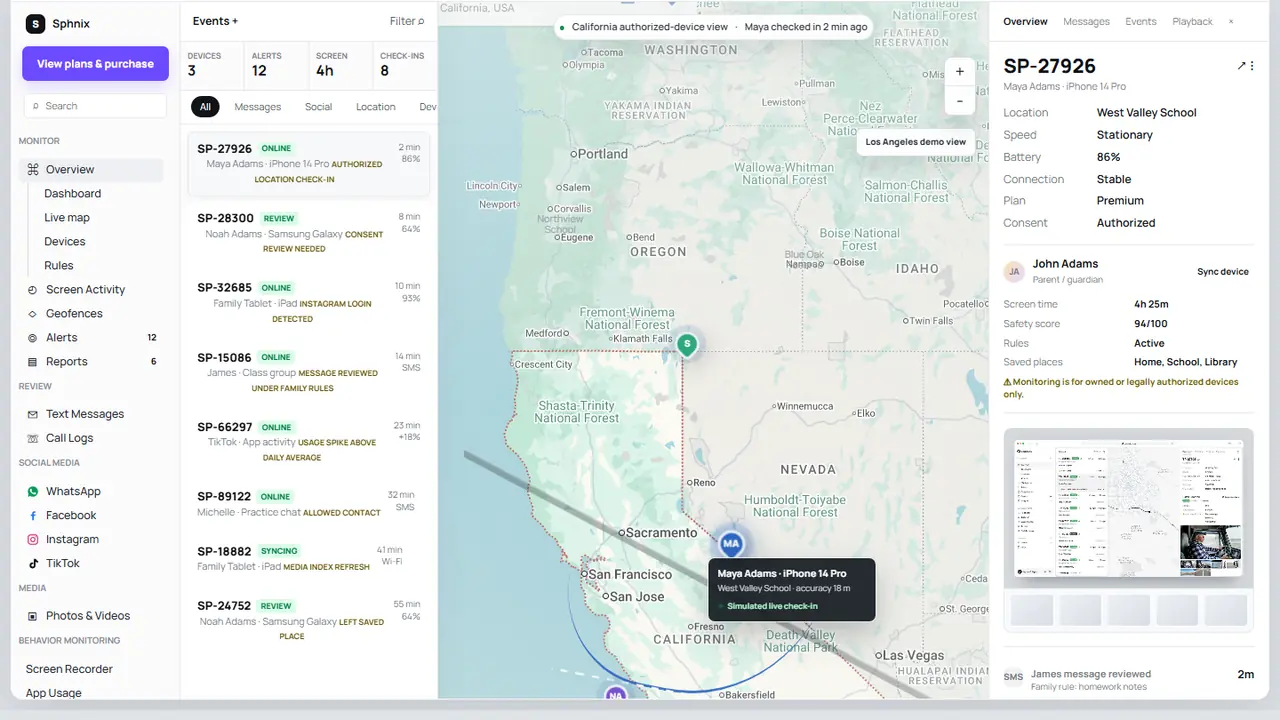
This is the most common need hiding behind queries like “hack iPhone remotely” or “track an iPhone without touching it.” Apple Find My handles consensual sharing. Parentaler and mSpy go deeper with dashboard history and family-focused visibility.
Apple Parentaler mSpyGeofencing
Geofencing means getting an alert when the phone enters or leaves a place like home, school, or work. This is one of the highest-value parental features because it reduces the need for constant checking.
mSpyScreen time and app limits
If your goal is digital boundaries rather than hidden observation, start here. Apple Screen Time is strong, and Parentaler is the logical upgrade when you need more control.
Apple ParentalerTexts, calls, and app activity
This is the feature bucket most commercial pages promise with illegal language. In legal use cases, it can be relevant for child safety or devices you own and manage. mSpy and Eyezy are stronger here than Apple’s native tools.
mSpy EyezyKeyword alerts
Alerts reduce review time by flagging risky terms. This is useful for parents trying to spot threats or bullying without reading every conversation line by line.
mSpy EyezyContent filtering
Filtering matters more than surveillance for many families. Apple’s restrictions help, but Parentaler is better if your main need is blocking categories, websites, or app exposure.
Apple ParentalerBest practical route for most readers
If you are a parent, start with Apple Family Sharing and Screen Time. If you need more detailed alerts, filtering, or visibility, move to Parentaler. If you need a more advanced dashboard for a device you own or manage with consent, mSpy is the deeper option.
How To Choose the Right Legal Option
- If you want official, free controls: use Apple Screen Time, Family Sharing, and Find My.
- If you want family safety with stronger filtering: use Parentaler.
- If you want more detail on a device you own or lawfully manage: use mSpy.
- If you mostly need easier reporting and faster onboarding: use Eyezy.
- If your real issue is compromise, not monitoring: focus on account recovery and hardening, not a third-party app.
That last point is easy to miss. A reader searching how to hack into an iPhone or can someone hack my iPhone through text often does not actually want a monitoring tool. They want certainty. If the real problem is account compromise, go back to Apple’s safety steps and work through containment first.
Frequently Asked Questions
Search-intent FAQs
Can someone hack my iPhone remotely without touching it?
It is possible in rare high-end cases, but it is not the normal risk for everyday users. Apple says most people are never targeted by that class of attack. In ordinary cases, phishing, stolen credentials, unsafe profiles, or prior access are much more likely. If you already suspect a compromise, use our iPhone recovery checklist next.
Can someone hack my iPhone through text?
The more common risk is being tricked by a text message into tapping a link, entering credentials, or installing something unsafe. Apple says to avoid suspicious links and change your password immediately if you entered account information on a scam page.
Can someone hack my iPhone by calling me?
Not in the simplistic way scam pages imply. The real danger is social engineering: the caller pressures you to share a verification code, password, or payment. Apple says support will not ask for those details. We break that down further in this calling-number scam guide.
Can an iPhone camera be hacked remotely?
Secret camera or microphone access is a legitimate safety concern in stalkerware cases, but it is not a casual consumer service anyone can buy legally. If you think that happened, treat it as a security incident and follow FTC and Apple safety guidance.
Can someone hack into your iCloud and see your iPhone data?
Yes. Apple Account or iCloud access is one of the biggest real-world risks because it can expose synced data, trusted devices, and recovery settings. Apple recommends changing the password first, reviewing devices, and confirming that you still control related email addresses and phone numbers.
What is the best legal iPhone monitoring app in 2026?
For pure legal fit, Apple Screen Time and Family Sharing remain the safest first step. For a paid child-safety tool, Parentaler is the cleanest match. For deeper monitoring on devices you own or manage with consent, mSpy is the stronger feature set. Eyezy works well for parents who want a simpler dashboard.
Bottom Line
Can someone hack my iPhone? Yes. But that does not mean there is a legitimate market for “hack my target’s iPhone” services. The smarter ranking strategy for this topic is to meet the searcher where they are, explain the real risks, and then point them toward what actually works: Apple recovery steps, account hardening, Family Sharing, Screen Time, and consent-based monitoring apps for lawful use cases. If you are already in cleanup mode, move from here to what to do if your iPhone was hacked.
If your goal is family safety, start with Apple’s built-in controls and compare them against Parentaler. If you need deeper activity visibility for a device you own or manage with consent, compare that with mSpy or Eyezy. If your real issue is compromise, move straight to recovery and hardening.
Sources used in this guide
- Apple Support: If you think your Apple Account has been compromised
- Apple Support: Recognize and avoid social engineering schemes
- Apple Support: About Lockdown Mode
- Apple Support: Review and delete configuration profiles
- Apple Support: Use Stolen Device Protection on iPhone
- Apple Support: Use parental controls to manage your child’s iPhone or iPad
- Apple Support: Set up Family Sharing
- Apple Support: Share your location with iPhone
- CISA: Recognize and Report Phishing
- FTC: Stalkerware – What To Know
- FTC: Seemingly urgent security messages could lead to tech support scams
- mSpy official features page
- Eyezy official iPhone monitoring page
- Parentaler official site

Leave a Reply