How to Hack Someone’s iCloud Pictures: Understanding iCloud Photo Access
With over a decade in digital forensics and cybersecurity, I’ve witnessed the central role iCloud Photos plays in modern digital life. It’s the private gallery where our most personal memories—and sometimes, our most critical evidence—reside. Consequently, one of the most frequent and charged questions I receive is about how to hack someone’s iCloud pictures. The motivations behind this query are as varied as they are intense: from parents fearing their child is sharing inappropriate content to individuals grappling with suspicions of a partner’s infidelity.
Updated February 2026
Before we proceed, a non-negotiable disclaimer must be established: Gaining unauthorized access to another person’s iCloud account, including their photos, is a federal crime in the United States (violating the Computer Fraud and Abuse Act) and is illegal in most countries worldwide. This article serves an educational purpose, outlining methods that are strictly applicable in legal contexts. These include accessing your own account, monitoring a minor child’s device with their knowledge, or investigating a company-owned asset with explicit prior authorization. The real “hack” is understanding the technology’s pathways, not breaking the law.
Why iCloud Pictures Are a Unique Challenge
Apple designed iCloud with user privacy as a cornerstone. iCloud Photos are protected by end-to-end encryption when certain settings are enabled, meaning the data is scrambled between Apple’s servers and your trusted devices. There is no simple backdoor. Therefore, most methods for accessing these pictures focus not on brute-force attacks against Apple’s servers, but on obtaining credentials, intercepting data from a trusted device, or using authorized monitoring software. Understanding this distinction is crucial.
Method 1: Credential-Based Access (The Direct Route)
This is the most straightforward concept, though its execution is often complex. It revolves around obtaining the target’s Apple ID username and password.
- Password Guessing & Recovery: Many people use weak or reused passwords. If you know the target well, you might guess their password or security questions. The “Forgot Password” feature can also be exploited if you have access to their trusted phone number or recovery email.
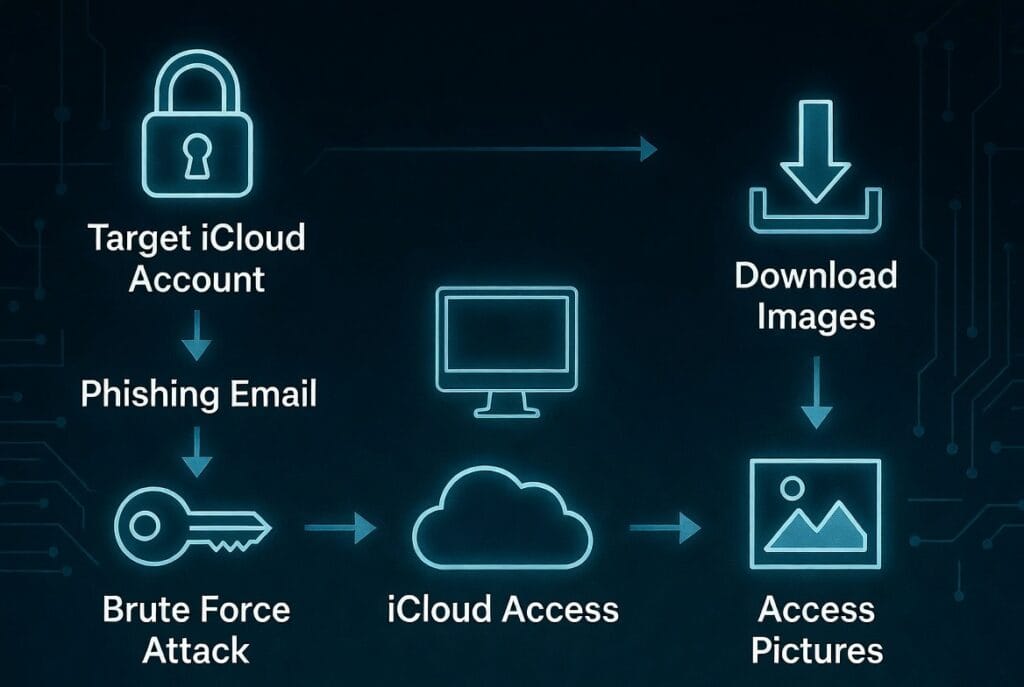
- Phishing Attacks: This involves tricking the target into entering their Apple ID credentials on a fraudulent but legitimate-looking website or via a deceptive email. It’s a common tactic but requires technical skill to set up and is highly illegal.
- Keyloggers: Installing a keylogger on a computer or phone the target uses can capture their Apple ID password as they type it.
- The Critical Flaw: This method is a one-time, high-risk event. Once logged in, the user will likely receive a notification of a new login on their other devices. Changing the password locks you out permanently. It’s also the most legally precarious path.
Method 2: iCloud Synced Devices (The Physical Exploit)
If the target’s iCloud Photos are syncing to a device you can physically access (like a shared family iPad or a computer they stay logged into), you may have direct access.
- How It Works: Simply open the Photos app on that device. If they are signed into iCloud and have Photo Syncing enabled, their library may be fully visible.
- The Limitations: This method offers zero stealth. Your access is visible if they check open apps or device activity. It also depends entirely on their syncing settings and your sustained physical access. It’s a passive, opportunistic approach, not an active solution for learning how to hack someone’s iCloud pictures reliably.
Method 3: Device-Focused Monitoring Software (The Modern Standard)
For ongoing, authorized monitoring, specialized applications are the most effective tool. They don’t directly “hack” iCloud.com. Instead, they are installed on the target’s iPhone (requiring one-time physical access) and monitor the device itself, including the Photos app which contains the synced iCloud library.
1. Sphnix Tracking App: Comprehensive Media Surveillance
Sphnix provides deep access to the device’s media ecosystem, offering a clear view of both locally stored and iCloud-synced photos.
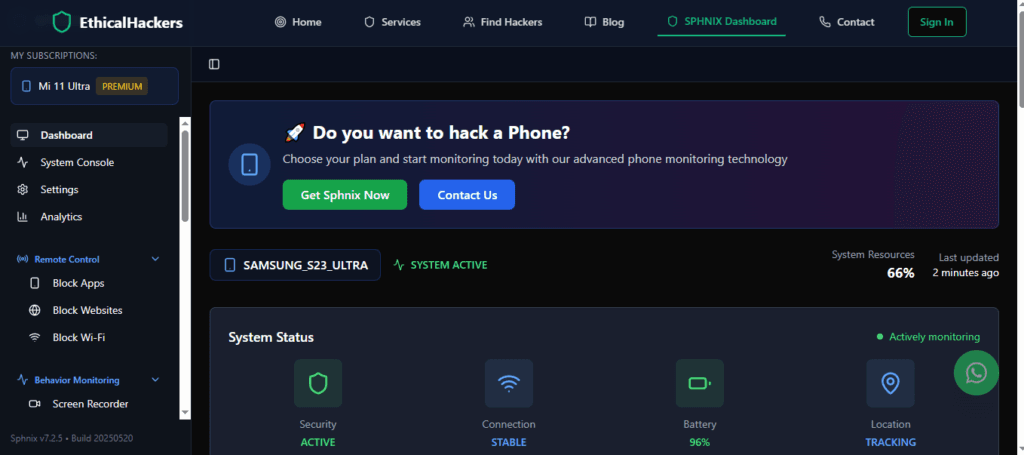
- Key Features for iCloud Photo Monitoring:
- Full Photo & Video Library Access: Browse the entire contents of the device’s Photos app, which mirrors the iCloud Photos library.
- Timeline View: See pictures in chronological order, exactly as they appear on the target device.
- Album Access: View all created albums, including “Recently Deleted,” allowing recovery of images the target thought were erased.
- Metadata Inspection: Access details like timestamps and sometimes location data.
- Real-Time Updates: New photos taken or saved on the device appear in your dashboard shortly afterward.
Sphnix is a powerful all-in-one tool for gaining a complete picture of someone’s digital media life.
2. Eyezy: User-Friendly Insight and Social Focus
Eyezy prioritizes a clean, intuitive dashboard and powerful social media monitoring, which extends to media files shared and saved on the device.

- Key Features for Photo Monitoring:
- Photos & Videos Gallery: Access the device’s media files through a well-organized online portal.
- Social Media Image Tracking: See photos and videos downloaded from or shared through apps like Instagram, WhatsApp, and Facebook.
- Screen Recording: This feature can capture live screen activity, potentially showing the target browsing their iCloud Photos.
- File Finder: Filter and search for specific types of media files.
Eyezy is an excellent choice for those who want a balance of media access and strong social media oversight in a user-friendly package.
3. Spynger: Stealth and Call-Focused Intelligence
Spynger emphasizes stealth and communication tracking, with strong capabilities for accessing the device’s stored media.
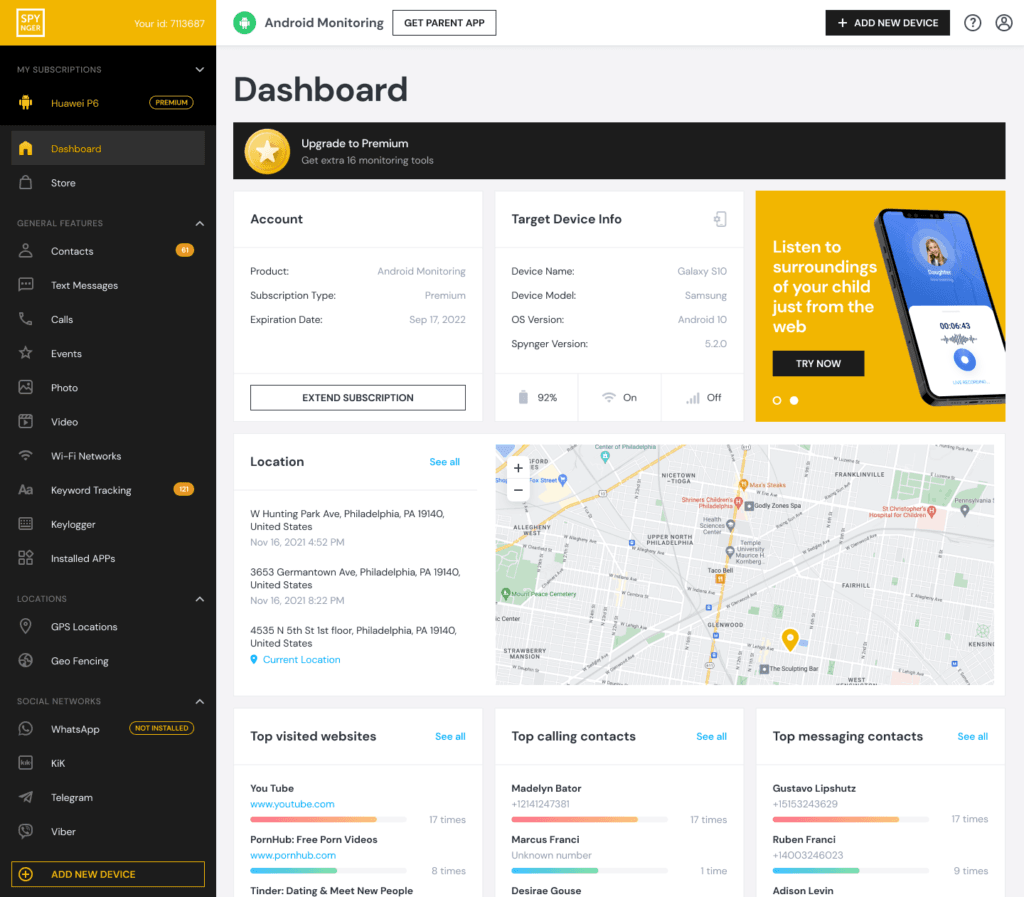
- Key Features for Photo Monitoring:
- Media File Access: Remotely browse all images and videos stored on the target device.
- Ambient Listening & Recording: While not for photos, this can capture conversations about specific pictures or activities.
- Call Recording & Environment Capture: Provides context around the target’s communications.
- High-Level Stealth: Designed to be virtually undetectable during routine use.
Spynger is suited for situations where discreet, comprehensive device monitoring is the priority, with photo access as a key component.
Method 4: Professional Digital Forensics Services
When software installation is impossible, or the situation requires legally defensible evidence (e.g., for court proceedings), professional services are the only ethical option.
- The Process: Experts use forensic tools to create a bit-for-bit copy of a device, extract data from iCloud backups (if credentials are legally obtained), or recover deleted photos from physical storage. This process is methodical, preserves a chain of custody, and can often retrieve data that consumer software cannot.
- When It’s Necessary: In divorce cases, child custody disputes, corporate intellectual property theft, or any scenario where the evidence must stand up to legal scrutiny.
Choosing the Correct and Legal Approach
Your right to access determines the appropriate method:
- For Parental Monitoring (with transparency): Use Eyezy or Spynger with the child’s knowledge for their safety.
- For Investigating a Company Device (with consent): Sphnix provides the depth needed for asset protection.
- For Discreet, Authorized Personal Monitoring: Spynger’s stealth or Sphnix’s comprehensiveness are top choices.
- For Legal and Evidentiary Needs: Professional forensic services are mandatory.
- For All Other Situations: Attempting to learn how to hack someone’s iCloud pictures is illegal. Strengthen your own account’s security with two-factor authentication instead.
Conclusion: Ethical Boundaries and Effective Tools
The desire to access another’s iCloud photos is a powerful impulse, but it must be governed by ethics and law. For legitimate purposes, device monitoring software like Sphnix, Eyezy, and Spynger provide effective, though not magical, solutions. They transform a complex technical question into a manageable process of authorized device oversight.
If your need is justified but lies beyond the scope of consumer software—lacking physical access or requiring forensic-grade evidence—then professional intervention is the only responsible path. Attempting illegal methods carries catastrophic personal and legal risks.
The line between investigation and invasion is defined by law and consent. If you have a legitimate reason to access iCloud photo data but face technical or legal complexities, our expert team at SpyWizards can provide a confidential consultation to explore ethical, professional solutions tailored to your specific situation.
Frequently Asked Questions (FAQs)
Q1: Can I hack into iCloud pictures remotely with just an Apple ID?
No. An Apple ID alone is not enough. You would need the associated password and likely need to bypass two-factor authentication (2FA), which sends a code to the target’s trusted devices. Remote hacking of Apple’s servers is not feasible for individuals and is a serious crime.
Q2: If I use monitoring software, will the target get an iCloud notification?
No. High-quality monitoring apps like Sphnix, Eyezy, and Spynger operate on the device itself. They are reading data already present on the iPhone’s storage (the synced Photos app). They do not log into the iCloud account from a new location, so no security alerts are triggered from Apple.
Q3: Can I recover deleted iCloud photos using these methods?
Yes, potentially. The Photos app on the device has a “Recently Deleted” album that holds photos for 30 days. Monitoring software that accesses this album can show those “deleted” photos. Professional forensic services have a higher chance of recovering photos deleted beyond that point from device backups or storage.