
The iCloud Fortress: Myths, Realities, and Legal Boundaries
In my ten years of professional cybersecurity practice, I’ve been asked to penetrate systems for every reason imaginable, from authorized corporate audits to assisting law enforcement. Yet, one request persists above all others: clients want to know how to hack an iCloud account. The allure is powerful. An iCloud account is a digital life—photos, messages, contacts, location history, and more. The motives for wanting access are often emotionally charged, but the technical and legal realities are brutally clear.
Updated February 2026
Let’s be absolutely direct: Unauthorized access to an Apple iCloud account is a federal crime under laws like the Computer Fraud and Abuse Act. It is not a grey area. This article will not provide a step-by-step guide to commit a felony. Instead, as an expert, I will dismantle the common myths, explain why the “hack” you’re imagining is nearly impossible for the average person, and detail the only legal, ethical pathways for gaining access to iCloud data when you have a legitimate right to do so. Understanding these distinctions is the difference between finding a solution and facing serious legal consequences.
Understanding the Security Architecture: Why iCloud is a Hard Target
Apple has invested billions in making iCloud a secure vault. The idea of a simple software “hack” that grants instant access is a fantasy sold by scammers. Here’s what you’re up against:
- End-to-End Encryption: For key data categories (passwords, Health data, Home data), the information is encrypted on your device and only decrypted on your other trusted devices. Apple does not hold the key. This means even if someone breached Apple’s servers, this data would be unreadable.
- Two-Factor Authentication (2FA): This is the primary gatekeeper. Even with a correct password, logging in from a new device or browser requires a six-digit verification code sent to the account owner’s trusted devices. No code, no entry.
- Account Security Notifications: Apple actively alerts users to suspicious activity. A login from a new location, a new device approval, or a password change triggers immediate emails and push notifications.
Therefore, to truly hack an iCloud account in the traditional sense, you must defeat multiple, interconnected layers of world-class security. It’s not a single lock to pick; it’s a bank vault.
Common Methods and Why They Typically Fail
Online forums and shady services peddle various “methods.” As a professional, I categorize them as ineffective, high-risk, or outright scams.
1. Phishing Attacks:
- The Promise: Trick the target into entering their Apple ID and password on a fraudulent but convincing copy of the iCloud login page.
- The Reality: While still a prevalent threat, this method often fails at the 2FA stage. Even if credentials are captured, the attacker still needs the one-time code. Furthermore, creating a convincing phishing page requires skill, and the act itself is a serious crime. Most people today are wary of these attempts.
2. Social Engineering Apple Support:
- The Promise: Impersonate the account owner to convince Apple Support to reset the password or bypass security.
- The Reality: Apple has stringent verification protocols for this exact reason. They require detailed account information that only the true owner would know. Attempting this is fraud and carries significant legal risk with a very low chance of success.
3. Password Guessing and “Brute Force”:
- The Promise: Use personal knowledge or software to guess the password through trial and error.
- The Reality: Apple’s systems have strict limits on failed login attempts, locking out further attempts after a few wrong guesses. “Brute force” attacks—systematically trying every password combination—are impossible against a major service like iCloud due to these rate-limiting and account lockout features.
The Legal Paradigm Shift: Monitoring the Device, Not the Cloud
Since directly assaulting the iCloud account is fraught with insurmountable barriers and legal peril, the effective and legal strategy involves a fundamental shift in focus. Instead of targeting the cloud account, you focus on the trusted device that already has full access to that iCloud data. This is the principle behind legitimate monitoring software. It requires a one-time, brief physical access to the target’s iPhone for installation but then provides a comprehensive view of the device’s data, which is synced from iCloud.
1. Sphnix Tracking App: Full-Spectrum Device Intelligence
Sphnix operates by mirroring the target iPhone’s entire activity to a secure, private dashboard. It shows you what is on the device, which is precisely what is in their iCloud.
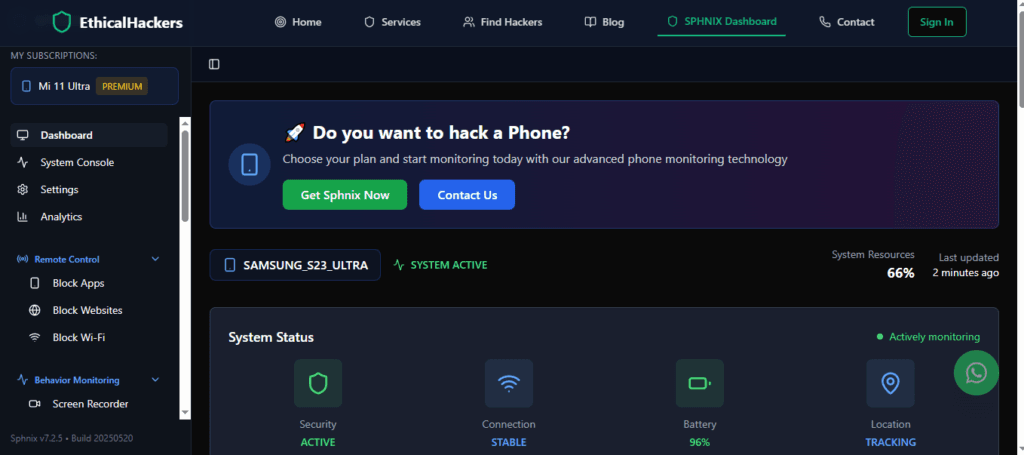
- Key Features for iCloud Data Access:
- Complete Media Library: View all photos and videos synced from iCloud Photos.
- Message Logs: Read iMessages and SMS stored on the device.
- Contact & Calendar Data: Access synchronized contacts and calendar entries.
- Location History: See the device’s location history via Find My.
- App Activity: Monitor usage of apps that store data in iCloud.
Sphnix effectively gives you the keys to the iCloud data by showing you the device that holds it.
2. mSpy: The Industry Standard for Comprehensive Oversight
mSpy is one of the most established and powerful monitoring solutions available. It provides an exhaustive report of device and, by extension, iCloud activity.

- Key Features for iCloud Data Access:
- Social Media & Chat Monitoring: Tracks conversations across platforms like WhatsApp, Instagram, and Snapchat, data often backed up to iCloud.
- Keylogger: Records every keystroke made on the device, capturing notes, emails, and search terms.
- Geofencing: Set up alerts for when the device (via Find My) enters or leaves specified areas.
- App Blocking & Usage Reports: Control and monitor app use.
For a holistic, detailed picture of a device’s digital life—a direct reflection of its iCloud contents—mSpy is a premier choice.
3. Parentaler: Streamlined for Family Protection
Parentaler is designed with a clear, simple interface for parents. It translates complex device data into actionable safety insights.
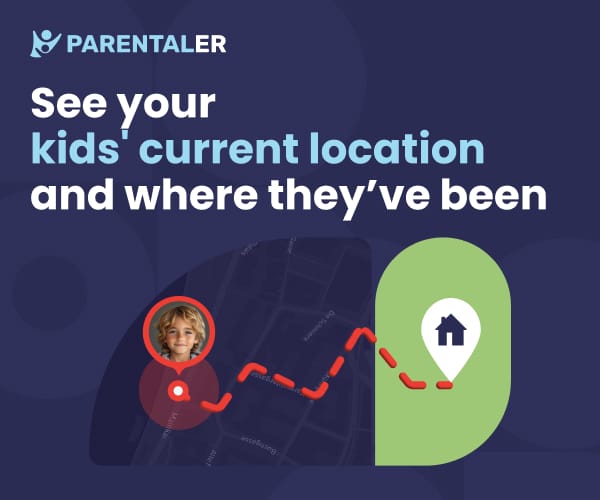
- Key Features for iCloud Data Access:
- Web & Communication Monitoring: Review browser history and call logs.
- Location Tracking & Alerts: Easy-to-use location monitoring based on Find My.
- App Management: Block inappropriate apps and set screen time limits.
- Safety-Focused Design: Features are tailored to identify risks like cyberbullying or contact with strangers.
Parentaler is the ideal legal tool for parents who need to oversee their child’s iPhone and the iCloud data it contains.
When Software Isn’t an Option: Professional Digital Forensics
There are legitimate situations where monitoring software isn’t viable. Perhaps you cannot obtain the necessary physical access, the device is lost or damaged, or you need historical data for a legal proceeding. In these cases, professional digital forensic services are the only ethical alternative.
- What This Entails: Certified experts use legal methods—such as working with law enforcement, obtaining court orders, or leveraging legal right of access (e.g., for a deceased family member)—to retrieve data from iCloud backups or devices. They use advanced forensic tools to recover and analyze data.
- The Critical Distinction: This is not hacking. It is the application of expert knowledge within strict legal and ethical frameworks to recover information through authorized channels.
Conclusion: From Illegal Hacking to Authorized Access
The question of how to hack an iCloud account is really a question about accessing sensitive personal data. The illegal path is a dead end, paved with technical failures and legal landmines. The smart, legal path requires reframing the objective.
For authorized monitoring, powerful tools like Sphnix, mSpy, and Parentaler offer a legal window into the iCloud-synced data that resides on a device. They provide the insight without the criminal record. For complex, legal, or high-stakes situations, professional forensic services exist to navigate the proper channels.
Attempting to hack an iCloud account is a high-risk endeavor with severe personal and legal consequences. If you have a legitimate, legal need to access iCloud data but lack the technical means or authority, seeking professional guidance is the only responsible course. Our team at SpyWizards can provide a confidential consultation to assess your situation and discuss ethical, professional solutions.
Frequently Asked Questions (FAQs)
Q1: Can someone hack my iCloud with just my Apple ID email address?
No. Your email address is a public identifier. Without your password and the ability to bypass two-factor authentication (2FA), it is useless for gaining access. It’s like knowing someone’s street address; it doesn’t give you the key to their house.
Q2: Are there any working iCloud hacking tools or software I can download?
Any website or service claiming to sell a tool that can directly hack into iCloud is a scam. These sites are designed to steal your money, infect your computer with malware, or phish for your own credentials. The only legitimate “tools” are the monitoring applications mentioned above, which work on the device, not the iCloud account itself.
Q3: If I use monitoring software, will the iCloud account owner get a notification?
No. Reputable monitoring software like mSpy or Sphnix does not log into the iCloud account. It runs locally on the device and reports data from the device’s storage. Since it doesn’t create a new login session on Apple’s servers, it will not trigger any of Apple’s security notifications for new logins or trusted devices.