
For over a decade in cybersecurity, I’ve been asked some version of this question countless times. The desire to understand how to get into someone’s gmail without password often stems from panic—a parent fearing for a child’s safety, an individual suspecting a partner’s infidelity, or someone needing to recover a lost account. The internet is filled with dangerous myths about effortless, magical hacks. As a professional, my first duty is to dispel those myths. Gmail, backed by Google’s immense security, has no secret backdoor. Any real method requires either explicit authorization, physical device access, or sophisticated software. This guide will walk you through the only realistic, legal pathways, explain the technology that makes them possible, and warn you emphatically against the illegal shortcuts that could ruin your life.
Updated February 2026
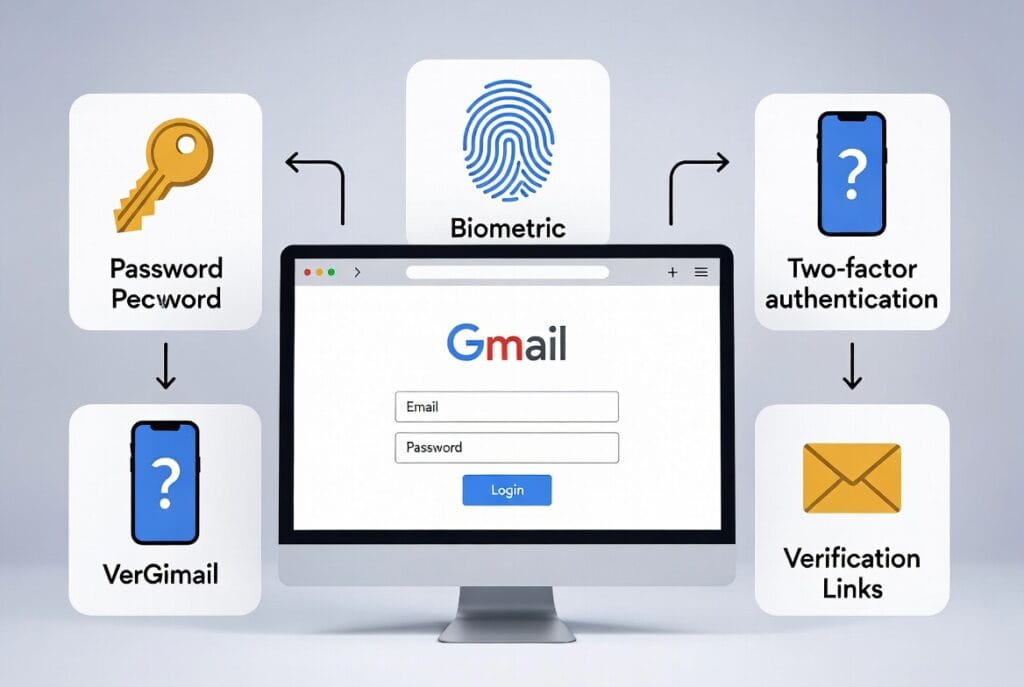
Critical Legal Disclaimer: Accessing a Gmail account that you do not own or have explicit, documented permission to access is a federal crime in many countries, including the United States (under the Computer Fraud and Abuse Act and similar laws). This article is for educational purposes to discuss account recovery, parental control, and authorized monitoring. Unauthorized access is illegal and unethical.
Debunking the Dangerous Myths
Before discussing what works, let’s eliminate what doesn’t. If you search for how to get into someones gmail without password, you’ll find scams promoting:
- Phishing Kits: Fake login pages that steal credentials. These are illegal to deploy and easy for savvy users to spot.
- “Google Support” Spoofs: Scammers pretending to be Google to trick you into giving them your own information.
- Brute Force Software: Programs that guess passwords. Google’s security locks an account after a few failed attempts, making this obsolete.
- Useless “Password Hackers”: Websites that claim to crack passwords instantly. They are universally fake, designed to steal your money or infect your device with malware.
Professional hackers do not use these methods. They are the tools of scammers. The real techniques are more nuanced and almost always require an initial point of access.
The Authorized Path: Account Recovery & Shared Access
The only 100% legal and approved method to access an account without its current password is through the owner’s cooperation or pre-planning.
- Official Account Recovery: If you own the account but forgot the password, use Google’s recovery process. This often involves sending a code to a recovery phone number or email address you previously set up. This is the legitimate purpose of these features.
- Shared Account Credentials: For couples or families, some choose to mutually share login details for transparency. This requires trust and consent.
- Google Family Link (For Parents): For children under 13, parents can legally create and manage a supervised Google account, which can include oversight of email activity.
If these official methods are not an option, you are venturing into territory that requires device access and carries significant legal responsibility.
The Core Principle: Access the Device, Not the Cloud
Google’s greatest security strength is also a potential weakness from a monitoring perspective: device synchronization. When someone logs into their Gmail on a phone or computer, that device often becomes a trusted key. The browser may save the password, or the session may remain active for weeks. Therefore, the most effective professional approach to understanding how to get into someones gmail without password shifts the target from the online account to the physical device where the account is already logged in.
This is where monitoring software becomes relevant. It doesn’t “hack” Gmail’s servers. Instead, it records activity on the device itself, capturing what the user sees and does.
Method 1: Keylogger & Screen Recording Software
This is the most direct digital method when you have authorized access to the target device. A keylogger records every keystroke, while screen recording captures visual activity.
How it works for Gmail:
- You physically install a monitoring app on the target’s smartphone or computer.
- The app runs invisibly in the background.
- When the user accesses Gmail, the keylogger captures their email and password as they type it (if they ever need to re-login).
- More importantly, it captures all activity within the logged-in session: emails they read, emails they send, searches they perform.
- This data is uploaded to a private online dashboard for you to review.
This method doesn’t bypass the password; it captures the password and all subsequent activity directly from the device’s screen and input. It provides a complete picture of Gmail use.
Recommended Tool: SPHINX Tracking App
SPHINX is a powerful suite that excels at this kind of detailed surveillance. It goes far beyond simple keylogging.
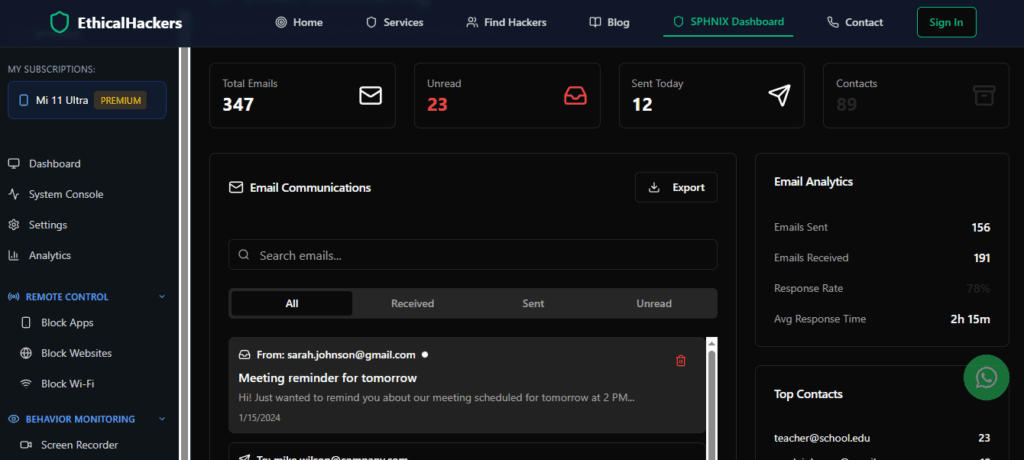
Key Features for Gmail Access:
- Advanced Keylogger: Logs every keystroke made on the device, guaranteeing password capture.
- Screen Recording & Screenshots: Takes periodic screenshots or records screens when specific apps (like Gmail) are opened.
- App Activity Monitoring: Tracks when the Gmail app is opened and closed, providing a usage timeline.
- Remote Control Panel: Access all captured data from a secure web interface.
- Stealth Operation: Once installed, it is virtually undetectable to the average user.
For comprehensive device monitoring that includes email activity, SPHINX is a top-tier solution.
Method 2: Browser & Session Monitoring Tools
Some tools specialize in extracting data from specific applications and browsers. They can often pull saved passwords, history, and session data from Chrome, Safari, or Firefox, which are directly linked to Gmail access.
How it works:
These apps extract the data stored locally by the web browser. If the user has chosen to “save password” in their browser, the tool can often retrieve it in plain text or a recoverable form. They also pull the entire browser history, showing all visited Gmail URLs and searches conducted while logged in.
Recommended Tool: Scannero
Scannero is a tool often used for digital forensics and location tracking, but its data extraction capabilities are significant.
Key Features Relevant to Email:
- Data Extraction: Can pull stored login credentials, bookmarks, and history from device browsers.
- Targeted Reports: Provides clean reports on browser activity, helping you pinpoint Gmail access patterns.
- Cross-Platform Support: Works on various device types, increasing its utility.
For a tool focused on pulling existing data from a device’s browsers, Scannero is a strong option.
Method 3: Comprehensive Social & Communication Suites
Sometimes, the goal isn’t just Gmail but a full picture of someone’s digital communication across email, social media, and messaging apps. Suite-style tools are built for this.
How it works:
These platforms aggregate data from all communication channels. They monitor the Gmail app or browser activity as part of a much larger surveillance package, correlating email activity with phone calls, texts, and social media use.
Recommended Tool: Moniterro
Moniterro positions itself as an all-in-one monitoring solution, ideal for parents or employers who need broad oversight.
Key Features for Comprehensive Monitoring:

- Email Monitoring: Tracks sent, received, and draft emails within the Gmail app.
- Multi-Platform Tracking: Simultaneously monitors SMS, call logs, and social media apps.
- Centralized Dashboard: All information is presented in a single, chronological feed or organized by application.
- Stealth Mode: Operates invisibly after installation.
If Gmail is one piece of a larger monitoring puzzle, Moniterro provides the integrated view.
The Inescapable Requirement: Physical Access & Legality
All software methods above share one non-negotiable requirement: you need one-time physical access to the target device for installation. There is no professional, reliable software that can be installed remotely without exploiting unknown vulnerabilities—a practice exclusive to state-level actors and serious criminals.
Furthermore, you must have the legal right to install this software. This means:
- You own the device (e.g., a company phone issued to an employee, who should be informed of monitoring policies).
- You are the parent or legal guardian of a minor child using the device.
- You have explicit, documented consent from the device’s owner and primary user.
Using these tools without permission is illegal surveillance.
How to Protect Your Own Gmail Account
Understanding these methods is the best defense. To protect your account:
- Use a Strong, Unique Password: Never reuse passwords.
- Enable 2-Factor Authentication (2FA): This is the most critical step. Even if someone gets your password, they need your phone or security key.
- Review Account Activity: Regularly check “Last account activity” at the bottom of your Gmail page for unfamiliar devices/locations.
- Use a Hardware Security Key: For maximum security, use a physical key for 2FA.
- Never Save Passwords in Browsers: Use a dedicated, master-password-protected password manager instead.
- Keep Your Device Physical: Use strong PINs/biometrics on your devices and don’t leave them unlocked and unattended.
Conclusion: Knowledge, Not Shortcuts
The question of how to get into someones gmail without password ultimately leads to a single answer: there is no ethical magic. There is only the hard work of authorized device monitoring using professional tools like SPHINX, Scannero, or Moniterro, or the legal process of account recovery. The technology is powerful, but it is a tool, not a toy. Its use is bounded by strict legal and ethical walls.
However, real-world situations can be complex. You may suspect compromised security far beyond what an app can detect, need forensic data recovery, or face a situation requiring highly specialized investigative techniques that respect legal boundaries.
If you are dealing with a serious situation involving potential fraud, data breaches, or require professional, legally-compliant investigative services, it is time to consult with experts. Our team at SpyWizards operates with precision and strict adherence to the law.
Frequently Asked Questions (FAQs)
Q1: Is there any way to remotely hack a Gmail password without touching the person’s phone?
A: No. Any service or individual claiming to do this for you is running a scam. The only hypothetical remote methods involve unpatched “zero-day” vulnerabilities that are not available to the public and are illegal to use. All practical methods require an initial point of access, usually physical device installation.
Q2: Can I use these methods on an iPhone?
A: Yes, but with greater difficulty. iOS has stricter security. To install monitoring software that can access data from other apps (like Gmail), the iPhone typically needs to be jailbroken, which is a complex process, voids warranties, and makes the device less secure. Non-jailbreak options for iOS are more limited and often require the target’s iCloud credentials.
Q3: What’s the difference between a keylogger and monitoring software?
A: A keylogger is a single-feature tool that only captures keystrokes. Comprehensive monitoring software (like those reviewed) includes a keylogger but also adds screen recording, app-specific tracking, GPS location, message logging, and more. For a goal like monitoring Gmail, a full suite is more effective as it captures what happens even when the user doesn’t type.