
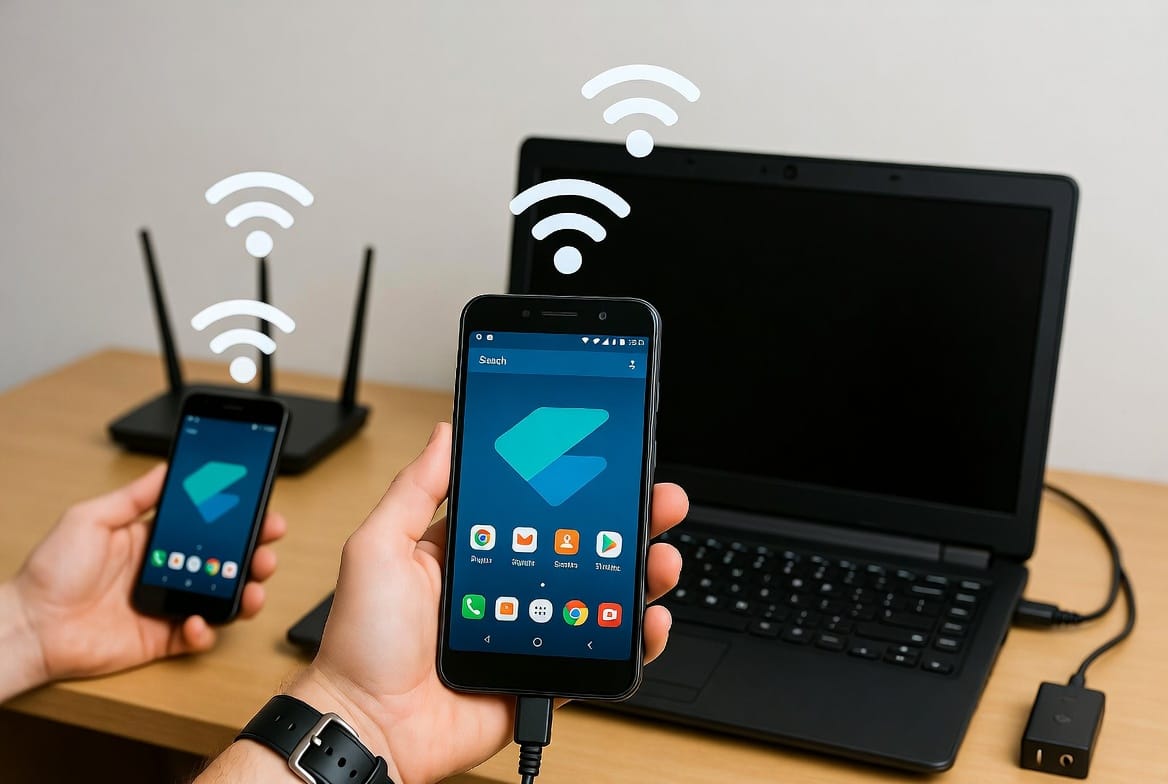
For over a decade, I’ve worked in digital forensics and network security, and one question persists: Can you really exploit a shared WiFi connection to access another Android device? The technical answer is nuanced. While a shared network creates a pathway, modern security protocols have made the classic “WiFi hacking” of movies largely obsolete. Today, the most effective and legal approach combines understanding your network’s inherent visibility with using purpose-built monitoring software installed with authorization.
Updated February 2026
This guide will dismantle the myths and provide a clear, actionable framework. If your goal is to learn how to hack a android phone connected on a same wifi router for legitimate purposes—such as parental control or monitoring a company device—you need the right knowledge and tools. We’ll explore what your router can actually show you, the strict legal boundaries you must respect, and review the professional-grade applications that make remote, authorized monitoring possible. Your WiFi is a component of the solution, not a magic key.
What Your WiFi Router Actually Reveals About Connected Devices
When an Android phone connects to your WiFi router, it establishes a continuous data exchange. As the network administrator, you have access to certain information, but it’s more limited than many assume due to encryption.
Through your router’s admin interface (typically accessed via an IP like 192.168.1.1), you can usually see:
- Device List: The hostnames or MAC addresses of all connected devices (e.g., “Galaxy-S21” or “Android_abcdef”).
- Data Usage: The volume of data each device uploads and downloads.
- Basic Connection Logs: Records of when devices connect and disconnect.
- Potentially, Domain History: Some advanced routers or third-party firmware may log domain names (like google.com or facebook.com) that devices visit, but not the specific pages or secure activity.
Crucially, you cannot see the contents of encrypted communications. Apps like WhatsApp, Instagram, and banking apps use end-to-end encryption (E2EE) or Transport Layer Security (TLS). This means the data passing from the phone through your router to the internet is scrambled. Your router sees only encrypted packets, not readable messages, passwords, or specific social media posts. This fundamental truth is why simply being on the same WiFi is insufficient for detailed monitoring.
The Critical Legal Foundation: Authority and Consent
Before any technical step, you must establish your legal right to proceed. Unauthorized access to any device is a violation of federal and state laws, including the Computer Fraud and Abuse Act. The legal risks include criminal charges and civil lawsuits.
Legitimate justification falls into two primary categories:
- Parental Responsibility: You have the legal right and duty to monitor the digital activity of your minor children to ensure their safety.
- Ownership or Managed Rights: You own the Android device (e.g., a company phone issued to an employee) and have a published acceptable use policy that permits monitoring.
Monitoring an adult spouse, partner, roommate, or guest without their explicit consent is illegal, regardless of who pays the internet bill. Ethics and legality must form the foundation of any action you take.
Authorized Monitoring Software: The Professional Standard
Since network-level data is limited, the professional standard for detailed oversight is authorized application software. These tools are installed directly on the target Android device and transmit collected data (often via the same WiFi network) to a secure online dashboard. Here are the leading solutions.
1. mSpy
mSpy is a veteran in the monitoring industry, known for its comprehensive feature set and reliable performance on Android platforms.

Key Features:
- Social Media & Call Tracking: Monitors calls, texts, and chats on WhatsApp, Facebook Messenger, Snapchat, Viber, and SMS.
- Real-Time GPS Location: Tracks the device’s location, creates geofences, and reviews location history.
- Keylogger: Captures every keystroke made on the device, revealing searches, messages, and login credentials.
- App Activity & Blocking: Shows which apps are used and allows you to block them remotely.
- Stealth Operation: Runs invisibly in the background after installation.
Best For: Users who need an all-in-one solution for extensive monitoring of social media, location, and communication.
2. Sphnix Tracking App
Sphnix offers a powerful suite of monitoring tools with a focus on remote access and detailed reporting, positioning itself as a premium solution.
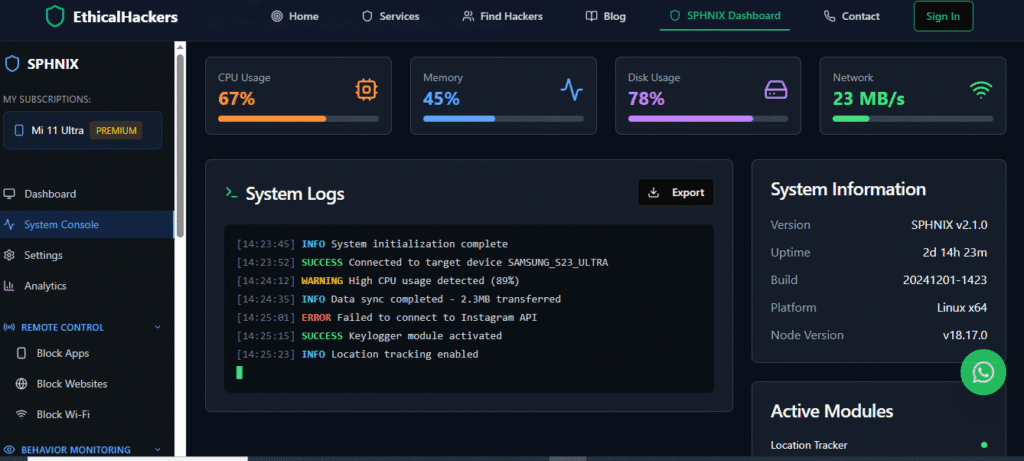
Key Features:
- Ambient Listening & Recording: Remotely activate the phone’s microphone to listen to surroundings.
- Full Media Access: View photos, videos, and audio files stored on the device.
- Email and Browser Monitoring: Tracks email content and complete web browsing history.
- Remote Control Functions: Lock the device, trigger alarms, or wipe data completely.
- Comprehensive Logs: Detailed records of calls, contacts, and calendar events.
Best For: Situations requiring deep device access and advanced features like ambient listening for child safety or asset recovery.
3. Parentaler
Designed specifically for parental controls, Parentaler emphasizes management and safety features over covert surveillance, promoting a more transparent approach.
Key Features:
- Screen Time Scheduler: Set specific times when the phone can or cannot be used (e.g., during school or bedtime).
- App Blocker & Usage Limits: Restrict access to specific apps or games.
- SMS/Call Filtering: Block contact from unknown numbers or filter messages containing inappropriate keywords.
- Panic Button: Allows the child to send an immediate alert with location to the parent.
- Web Filter: Block access to inappropriate websites.
Best For: Parents who prioritize managing screen time, blocking harmful content, and fostering open communication about digital safety.
A Practical, Step-by-Step Implementation Guide
If you have determined your actions are legal, follow this professional workflow:
- Select and Purchase Your Tool: Choose the application (mSpy, Sphnix, or Parentaler) that best matches your monitoring objectives.
- Secure Brief Physical Access: You will need the target Android phone for approximately 10 minutes. Disable Google Play Protect temporarily (Settings > Security > Play Protect) to allow installation from outside the Play Store.
- Install and Configure: Download and install the app using the provided link or QR code. Grant all necessary permissions (Accessibility, Location, etc.) as prompted. This is a critical step for functionality.
- Enable Stealth Mode: Follow the app’s instructions to hide its icon from the app drawer. The app will now run as a background service.
- Let the Network Facilitate Data Transfer: Once installed, the app will use the phone’s internet connection—your shared WiFi router or mobile data—to securely transmit activity logs to your private web-based control panel.
- Monitor Remotely: Log in to your dashboard from any web browser to view all collected data in real-time. This is where you gain actionable insights.
Proactive Network Security for Enhanced Protection
Beyond monitoring a specific device, you should secure your WiFi network to protect all users. This is a responsible practice for any network owner.
- Change Default Router Credentials: Use a strong, unique password for your router’s admin panel.
- Enable WPA2/WPA3 Encryption: Never use outdated WEP security.
- Create a Separate Guest Network: Isolate visitors’ devices from your main network where your personal devices reside.
- Use a Firewall: Enable the built-in firewall on your router.
- Firmware Updates: Regularly update your router’s firmware to patch security vulnerabilities.
When to Engage a Professional Service
There are scenarios where a DIY software solution is inadequate. If the target user is highly tech-savvy, if you need evidence for legal proceedings, or if you require a more complex digital investigation, professional expertise is warranted.
Specialists bring a deep understanding of advanced techniques, anti-detection measures, and legal frameworks. They can handle situations where standard apps might fail or where the stakes are particularly high.
<a href=”https://spywizards.com” target=”_blank” style=”display: block; text-align: center; padding: 18px; background-color: #E74C3C; color: white; text-decoration: none; border-radius: 8px; font-weight: bold; margin: 30px auto; font-size: 1.1em; max-width: 350px;”>Hire a Professional Hacker for Complex Cases</a>
Conclusion: Responsible Use of Technology and Access
Learning how to hack a android phone connected on a same wifi router is really about understanding the convergence of network basics and modern monitoring software. Your WiFi provides the connectivity, but specialized tools like mSpy, Sphnix, and Parentaler provide the detailed insight—when used with proper authority.
Always let the law and ethical responsibility guide your actions. Use this knowledge to protect your family, secure your business assets, and improve your overall network security. For challenges beyond the scope of commercial software, seeking professional assistance is a smart and effective strategy to achieve your goals securely and discreetly.
Frequently Asked Questions (FAQs)
Q: Can I install monitoring software remotely using just the WiFi connection?
A: No. Installation requires physical access to the target Android phone to disable security settings (like Play Protect) and manually install the APK file. There is no legitimate way to remotely install monitoring software on a modern Android device without initial physical setup.
Q: Will the user be notified or can they find the monitoring app?
A: High-quality apps are designed for stealth. They hide their icon and run as background services. However, a suspicious user might find clues in device settings under “Device Admin Apps” or “Accessibility Services,” or notice unusual battery usage. Stealth is effective but not absolutely foolproof against detailed inspection.
Q: Is it easier to monitor an Android phone than an iPhone on the same WiFi?
A: Technically, yes. Android’s more open ecosystem allows for the installation of apps from outside the official Play Store, which is a prerequisite for most monitoring software. iOS restrictions are far stricter, often requiring iCloud credentials or jailbreaking for similar levels of access, making authorized Android monitoring more straightforward from a technical standpoint.
Leave a Reply