The iPhone Enigma: Finding Truth in a Glass and Aluminum Shell
The iPhone is a masterpiece of modern privacy. Its sleek design hides a fortress of encryption, making it both a communication hub and a vault for secrets. For a decade, I’ve guided individuals through the tense process of uncovering infidelity, and the question of how to locate my wife’s iPhone is a modern starting point for a very old pain. That device in her pocket or purse can feel like the keeper of all answers. If you’re here, you’ve likely noticed the shifts—the guarded screen, the new passcode, the mysterious “lost time.” You need more than a feeling; you need a location, a pattern, a fact. This guide cuts through the complexity.
Updated February 2026
I will explain the three primary methods to find an iPhone, from the simple and legitimate to the discreet and comprehensive. You will learn what each method can truly reveal, its critical limitations, and how to proceed with both clarity and caution.
Method 1: Using Apple’s Built-In “Find My” Network (The Official Path)
This is Apple’s own powerful tool, designed for finding lost devices and sharing locations with family and friends. It’s your first and most legitimate port of call.
- How It Works: The “Find My” app combines GPS, Bluetooth from other Apple devices, and internet connectivity to pinpoint an iPhone’s location. For it to work, the following must be true on her iPhone:
- “Find My iPhone” is enabled in her iCloud settings.
- The device is connected to the internet (Wi-Fi or cellular).
- Location Services are turned on.
- How You Can Use It: You have two avenues:
- With Her iCloud Credentials: If you know her Apple ID and password, you can sign into iCloud.com/find on a web browser or use the Find My app on another Apple device. This will show you the iPhone’s location on a map.
- As a Family Member: If you have set up “Family Sharing,” she may have chosen to share her location with the family group. You can check this in your own Find My app under the “People” tab.
- The Major Limitations for Discreet Monitoring:
- Notification Risk: If you sign into her iCloud account on a new device or browser, she may receive a security alert email or notification.
- No Stealth: If she checks her own Find My app, she will see that her device is being located. She can also easily stop sharing her location with the family group with one tap.
- Lacks Context: It shows a location, but nothing else. You won’t know who she texted upon arrival, what apps she used, or any of the digital activity that provides meaning to the location data.
Method 2: Carrier Family Locator Services
Your cellular provider offers basic location services, often included in family plans.
- How It Works: As the account holder, you can log into your carrier’s portal (e.g., Verizon Smart Family, AT&T Secure Family) to see the approximate location of all lines on your plan.
- The Reality Check:
- She will almost certainly receive a text message notification that location tracking has been enabled by the account holder.
- The location data is often less precise than GPS, using cell tower triangulation which can have an accuracy range of hundreds of meters.
- She can deny permission or disable it from her phone if she becomes suspicious.
Method 3: Professional Monitoring Software (For Comprehensive, Discreet Insight)
When the official methods are either inaccessible or too risky due to notifications, professional monitoring applications designed for iOS provide a different approach. These are third-party solutions that offer persistent, stealthy access to a wide range of data.
It is crucial to understand the legal and technical requirement: to install most advanced monitoring features on an iPhone, you typically need her iCloud credentials. Some features may also require the iPhone to be jailbroken, a complex process that voids warranties and compromises security. These apps are powerful but require specific conditions to function fully on iOS.
1. Sphnix Tracking App
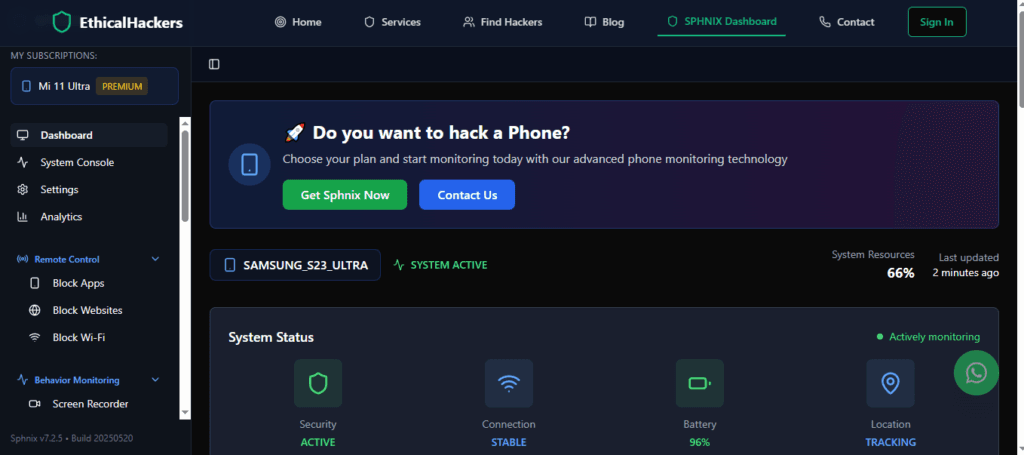
Sphnix is engineered for depth. For iPhones, using her iCloud credentials, it can sync a vast amount of data to your private dashboard. This includes not just real-time and historical location, but also iMessages, WhatsApp/Signal chats, call logs, and browsing history. It provides the “why” behind the “where,” building a complete picture of activity tied to every location.
2. Eyezy
Eyezy offers a user-friendly interface that excels at making data clear. Its location tracking is reliable and presented with an intuitive timeline. A standout feature is its geofencing capability for iOS; you can draw virtual boundaries on a map and receive an instant alert the moment her iPhone enters or leaves a specified area, making passive monitoring proactive.
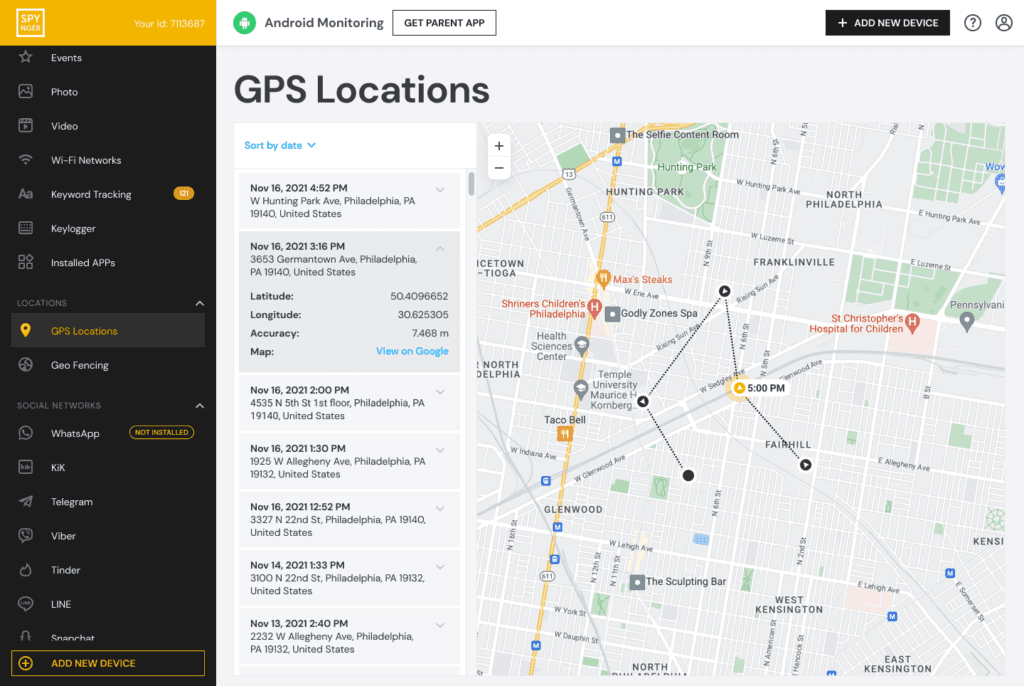
3. Spynger
Spynger specializes in social and communication intelligence alongside location tracking. It is particularly effective at monitoring messaging apps like Telegram, Instagram DMs, and Facebook Messenger on iOS. By correlating this communication data with precise location history, it creates a powerful, context-rich log of her movements and interactions.
Choosing the Right Method For Your Situation
Your path depends entirely on your access and goals:
- For Occasional, Legitimate Checks: If you have her consent or shared credentials, use Apple’s Find My app. It’s built-in and effective.
- For Basic, Non-Stealth Location: If you are the account holder and don’t mind her knowing, your Carrier’s Service is an option.
- For Discreet, Evidence-Gathering Investigation: If you need to locate my wife’s iPhone without alerts and gather supporting digital evidence, a Professional Monitoring App like Sphnix or Eyezy is the only tool designed for this purpose. This requires you to have her iCloud credentials.
The Inescapable Legal and Ethical Framework
This discussion is incomplete without a direct warning. Using any method to track an adult’s location without their knowledge or consent may violate federal and state laws, including the Computer Fraud and Abuse Act and stalking statutes. Even with her iCloud password, accessing her account to install monitoring software may be illegal. You must consider the severe relational consequences and potential legal repercussions. Ethical use typically applies only to devices you own (like a phone on your plan for a minor child) or with explicit, verifiable consent.
From Location Data to Real-World Action
Finding the iPhone is a means to an end, not the end itself.
- Analyze Patterns: One location means little. Look for patterns—repeated visits to an unfamiliar address, long stops at locations inconsistent with her stated activities.
- Corroborate with Other Signs: Does the location data align with other red flags—secretive behavior, emotional distance, changes in intimacy?
- Plan Your Conversation: If the evidence is compelling, plan a calm, factual confrontation. Use the data as a foundation for a serious discussion about the state of your relationship.
Conclusion: Navigating the Signal Through the Noise
Learning how to locate my wife’s iPhone involves navigating a spectrum from simple, legitimate tools to complex, professional systems. Apple’s own ecosystem provides a transparent method for those with shared trust, while third-party apps offer solutions for situations where that trust has broken down, albeit with significant legal and technical hurdles. Your choice must balance your need for truth with a sober understanding of privacy, ethics, and the law. The goal is not merely to track a device, but to resolve the profound uncertainty that led you to search. Whether the outcome is reconciliation or separation, moving forward requires facts, and now you know how to find them.
For situations requiring expert navigation of iOS security, advanced forensic data recovery, or professional investigation that respects legal boundaries, specialized services are available to achieve your objectives.
Frequently Asked Questions (FAQs)
Q1: Can I locate her iPhone if “Find My iPhone” is turned off?
If “Find My iPhone” is disabled on her device, Apple’s native method will not work at all. Professional monitoring apps that use iCloud syncing may also fail to report location. In this case, carrier services might provide a very approximate location, but persistent, accurate GPS tracking becomes virtually impossible without physical access to turn the feature back on.
Q2: Will these methods work if her iPhone is offline or powered off?
Apple’s Find My network can show the last known location before the device went offline. Some premium monitoring apps also cache and report the last recorded location. Real-time tracking requires the phone to be on and connected to the internet.
Q3: Is it true that I need to “jailbreak” her iPhone to use monitoring apps?
For the most extensive monitoring features (like tracking third-party app messages such as WhatsApp or Snapchat), jailbreaking has traditionally been required. However, many modern apps like Eyezy and Spynger now offer powerful suites of features using only iCloud credentials, without jailbreaking. Always check the specific iOS requirements on the app provider’s website, as the technology and Apple’s countermeasures constantly evolve.