
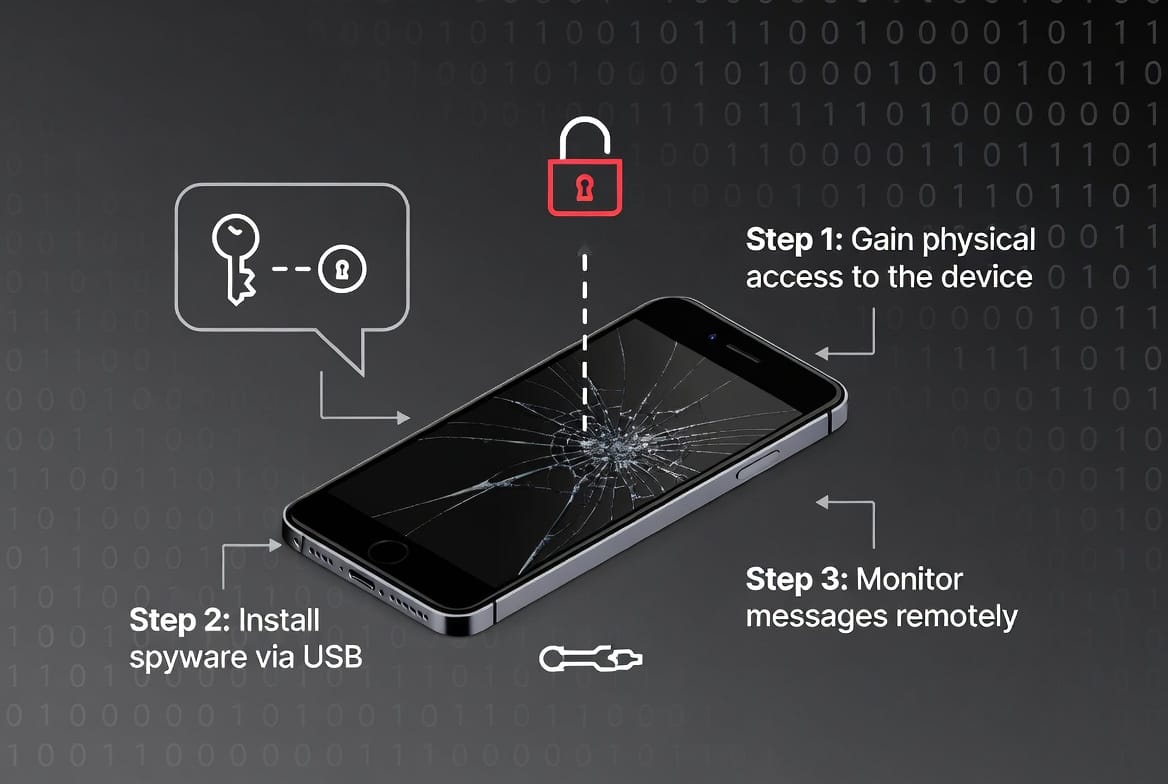
Do not break into another person’s messages. If you searched how to hack an iPhone to read text messages, choose the route that matches a lawful need: recover messages from your own device, supervise a child’s authorized phone with appropriate tools, or preserve evidence from messages sent to you.
An iPhone number alone does not expose iMessage or SMS history. Access may exist through the owner’s synced Apple devices, an owner-controlled backup, a family-safety product configured on a supported phone, or a forensic examination performed with documented authorization.
Safe routes by objective
| Objective | Route | Limit |
|---|---|---|
| Restore your deleted messages | Recently Deleted or your own backup | Retention and backup timing apply |
| Read messages on your other Apple device | Messages in iCloud and device syncing | Both devices use the owner account |
| Supervise a child’s communications | Age-appropriate family controls or authorized app | Features vary on iOS |
| Investigate a crime | Preserve evidence and use lawful professional channels | No retaliatory account access |
In my ten years of digital forensics, specializing in mobile device analysis, the iPhone has always presented a unique challenge. Clients frequently ask me for a way to hack an iPhone to read text messages, often expecting a simple software solution. The reality is that Apple’s ecosystem, designed with privacy as a cornerstone, doesn’t have easy backdoors. However, with proper legal authority and a clear understanding of the technical landscape, accessing iPhone text messages is a structured process, not a mythical hack. This guide will move beyond the scams, explain the two concrete technical pathways that actually work, and provide a professional review of the tools that can execute this task within strict ethical and legal boundaries.
Updated February 2026
Critical Legal Disclaimer: Unauthorized access to an iPhone’s text messages is illegal under the Computer Fraud and Abuse Act and various state privacy laws. This information is for educational purposes and legal applications only, such as parental monitoring of a minor’s device or supervising a company-owned iPhone with employee consent. You must have a clear legal right to monitor the device.
Why “Hacking” an iPhone is a Different Beast
Understanding the challenge is half the battle. An iPhone is not an Android device. Its security model is built on several key principles that make unauthorized access difficult:
- The App Sandbox: Apps operate in isolated containers. A third-party application cannot directly read data from the Messages app or its database.
- Code Signing and App Store Control: iOS only runs software approved and signed by Apple, preventing the casual installation of monitoring tools from the internet.
- End-to-End Encryption (iMessage): Blue-bubble iMessages are encrypted between devices. The keys never leave the user’s devices.
- Hardware-Backed Security (Secure Enclave): Passcodes and biometric data are protected by a dedicated chip, making brute-force attacks futile.
Therefore, effective methods for how to hack an iPhone to read text messages don’t attack the encryption head-on. They either gain unprecedented system-level access or use Apple’s own synchronization features.
The Two Viable Technical Pathways
You cannot proceed without choosing one of these foundational approaches. Your choice dictates the tools you can use, the data you can access, and the risks you assume.
Path 1: Jailbreaking (The High-Access, High-Effort Method)
Jailbreaking is the process of removing Apple’s software restrictions. It grants “root” access to the iOS filesystem.
- Pros: Enables installation of powerful monitoring software that can directly read the SMS and iMessage databases in real-time. This is the closest to a traditional “hack.”
- Cons: Voids the device warranty, can cause instability, exposes the device to other security threats, and is a detectable process. It requires technical comfort.
- Best For: Situations where real-time, comprehensive access is critical and the device’s compromised state is an acceptable trade-off.
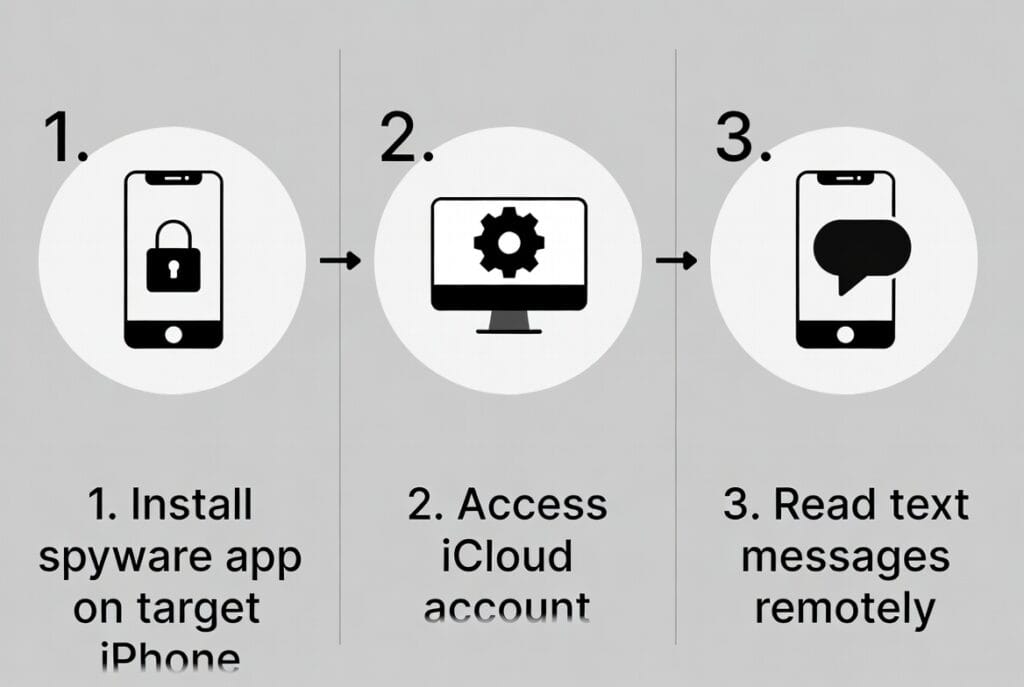
Path 2: iCloud Backup Extraction (The Low-Access, Lower-Effort Method)
This method leverages Apple’s own iCloud service. It does not touch the physical iPhone’s software.
- Pros: Does not modify the iPhone or void its warranty. Less technically complex.
- Cons: Requires the target’s Apple ID and password. Access is not real-time; it relies on pulling data from periodic iCloud backups. It may trigger security alerts. Two-factor authentication (2FA) is a major obstacle.
- Best For: Situations where periodic oversight is sufficient, or where jailbreaking is not an option.
Tool 1: Sphnix Tracking App (The Jailbreak Specialist)
Sphnix is engineered as a deep surveillance system. Its full capabilities are unleashed only on a jailbroken iPhone, making it the tool for maximum data extraction.
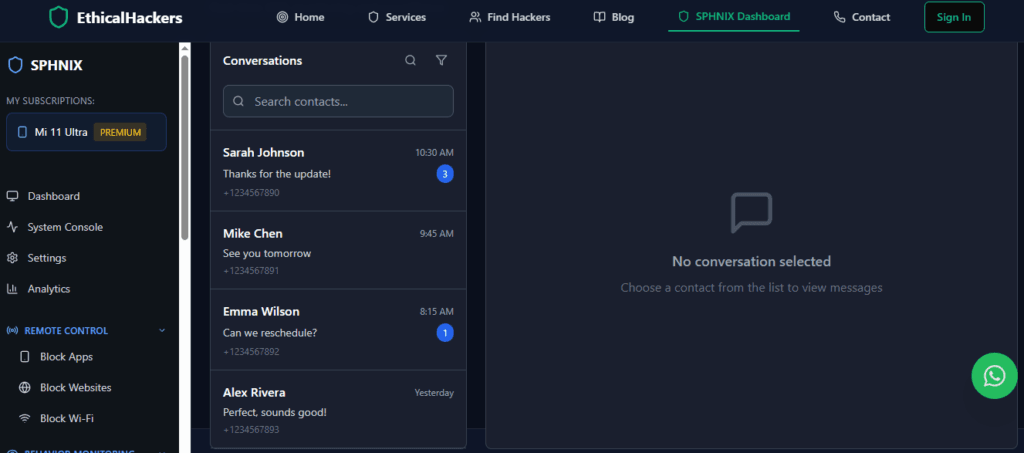
How It Accesses iPhone Texts:
After jailbreaking, Sphnix installs a system-level service that can directly query the sms.db and other relevant databases on the device, capturing iMessages and SMS as they are stored.
Key Features for iPhone Text Reading:
- Direct Database Access: Logs all message content (text, images, videos) from both SMS and iMessage with precise timestamps.
- Deleted Message Retrieval: Can often recover texts that have been removed from the visible conversation thread.
- Real-Time Syncing: Messages appear in your secure web dashboard within moments of being sent or received on the iPhone.
- Jailbreak-Optimized Stealth: Includes configurations to help mask the jailbreak’s presence from casual detection.
- Comprehensive Data Suite: Text access is part of a broader monitoring package including calls, GPS, and social apps.
Tool 2: mSpy (The Flexible Industry Standard)
mSpy stands out for its clear support of both major pathways. It provides detailed guides for jailbreaking and also offers a robust iCloud-based solution, making it a versatile choice.

How It Accesses iPhone Texts:
- Jailbreak Method: Functions similarly to Sphnix, providing direct, real-time logging of the message databases.
- iCloud Method (No Jailbreak): Uses the provided Apple ID credentials to securely access and parse the target’s iCloud backup, extracting message history.
Key Features for iPhone Text Reading:
- Dual-Path Support: Clear instructions for both jailbreak and non-jailbreak setups.
- Unified Message Inbox: Presents SMS and iMessages together in a single, chronological view in the dashboard.
- Contact Integration: Automatically matches phone numbers and Apple IDs with contact names.
- iCloud Synchronization: For non-jailbreak, it can regularly fetch new data as backups are made.
- Exceptional Customer Support: Critical for navigating the complexities of iOS setup.
Tool 3: Parentaler (The Parent-Focused, Non-Jailbreak Option)
Parentaler is designed with simplicity and child safety in mind. It primarily utilizes the iCloud extraction method, avoiding the technical and ethical complexities of jailbreaking for parents.

How It Accesses iPhone Texts:
Parentaler’s system is built around the legal, non-invasive method of accessing a child’s iCloud backup data with parental credentials.
Key Features for iPhone Text Reading:
- iCloud-Based Message Review: Provides access to the content of your child’s text and iMessage history from backups.
- Safety-First Dashboard: Presents message data in a simple format, highlighting contacts and conversation patterns for parental review.
- Minimal Technical Barrier: Avoids the need for jailbreaking, focusing on a credential-based setup.
- Integrated Safety Tools: Pairs message monitoring with location tracking and an SOS alert feature.
- Legal Clarity: Its design aligns closely with parental rights and responsibilities.
The Step-by-Step Reality of Each Method
Jailbreak & Install Process (Sphnix, mSpy):
- Research & Select a Jailbreak Tool: Use a reliable, current tool like unc0ver or palera1n, compatible with the target iPhone’s iOS version.
- Execute the Jailbreak: Follow the tool’s instructions carefully. This is the most sensitive step and carries risk of a “bricked” device if done incorrectly.
- Install Package Manager: The jailbreak installs an app like Sileo or Cydia.
- Add the Monitoring Source: Input the software provider’s repository URL.
- Install & Configure: Download the monitoring package, install it, and configure stealth settings via the dashboard.
iCloud Extraction Process (mSpy, Parentaler):
- Obtain iCloud Credentials: You must have the target’s Apple ID and password. This is the primary ethical and legal checkpoint.
- Disable Two-Factor Authentication (Temporarily): This is often required for the service to access the backup. This action itself can be detectable.
- Verify iCloud Backup Settings: Ensure “Messages” are included in the target’s iCloud Backup (Settings > [Apple ID] > iCloud > iCloud Backup).
- Provide Credentials to Service: Enter the credentials into the monitoring service’s secure setup panel.
- Initial Sync & Periodic Updates: The service extracts data from the latest backup. New data appears only after the next backup occurs on the target device.
How to Fortify Your iPhone Against Access
As an expert, I believe the best offense is a good defense. Protect your iPhone by:
- Safeguard Your Apple ID: Use a strong, unique password and never share it. This is your single most important credential.
- Never Disable Two-Factor Authentication: 2FA is the most effective barrier against the non-jailbreak method. Keep it enabled.
- Review Trusted Devices Regularly: Check Settings > [Your Name] for a list of devices. Remove any you don’t recognize.
- Avoid Jailbreaks: They compromise the device’s fundamental security. If you didn’t jailbreak it, look for apps like Cydia or Sileo.
- Check for Configuration Profiles: Go to Settings > General > VPN & Device Management. Delete any unknown profiles.
- Update iOS Immediately: Security updates patch the vulnerabilities jailbreaks exploit.
Conclusion: A Process of Permission and Precision
Learning how to hack an iPhone to read text messages is really about learning a process of authorized technical intervention. You must choose between the depth of a jailbreak (using a tool like Sphnix) and the constraint of iCloud access (using a tool like mSpy or Parentaler). Each path serves a specific legitimate need under the umbrella of legal monitoring.
This is not a world of quick fixes but of deliberate choices with real consequences. The technology provides powerful oversight for those with the right to use it, but it demands respect for both the law and Apple’s sophisticated security architecture.
When the situation involves legal proceedings, complex data recovery from damaged or locked devices, or targets using advanced operational security, professional forensic tools and expertise are required.
If you are dealing with a high-stakes situation that necessitates professional iPhone forensic analysis, legally-defensible evidence collection, or expert navigation of these complex technical and legal channels, our team at SpyWizards possesses the specialized skills and ethical framework to assist.
Frequently Asked Questions (FAQs)
Q1: Can I tell if my iPhone has been jailbroken or if someone is reading my messages?
A: Signs of a jailbreak include unfamiliar apps like Cydia or Sileo, increased app crashes, or rapid battery drain. For iCloud-based monitoring, you might receive unexpected Apple ID login alerts, find that your trusted devices have changed, or notice that your iCloud backup history seems off. Regularly checking your Apple ID security settings is your best defense.
Q2: What happens if the iPhone user has two-factor authentication (2FA) enabled?
A: 2FA is a significant barrier. For the iCloud extraction method, it typically must be temporarily disabled to grant the monitoring service access, which will send a notification to the user’s trusted devices. There is no way for these consumer services to bypass 2FA without the user’s cooperation or access to a trusted device receiving the code.
Q3: Is one method (jailbreak vs. iCloud) more detectable than the other?
A: Yes. A jailbreak is inherently more detectable to a savvy user (presence of jailbreak apps, system behavior). The iCloud method is stealthier on the device itself but carries the risk of triggering Apple’s security notifications (login alerts, 2FA prompts, trusted device changes) that can alert the user that their account is being accessed elsewhere.
Compare message-monitoring support before buying
Do not assume every Android feature works on iPhone. Check the exact iOS version, setup requirement, supported message sources, and refresh interval.
Preview Sphnix messages Choose Sphnix
Partner links may earn Spy Wizards a commission at no added cost to you.
Frequently asked questions
Can I read texts with just a number?
No. A number routes messages but does not authenticate access to their content.
Can deleted iPhone messages be recovered?
The owner may recover eligible messages from Recently Deleted or a suitable backup, depending on timing and settings.
Do parental apps show every iMessage?
No universal promise is accurate. iOS support depends on product design, configuration, and Apple platform limits.
Leave a Reply